> ## Documentation Index
> Fetch the complete documentation index at: https://clickflare.com/docs/llms.txt
> Use this file to discover all available pages before exploring further.
# Security
> Generating an API key
API keys or Access keys are used to make secure REST requests to ClickFlare's API.
Tip: For an additional layer of security, we recommend periodically generating new access keys.
1. To generate an API key, begin by accessing the **Settings Menu** inside ClickFlare.
2. At the bottom of the sidebar, select **Security**.
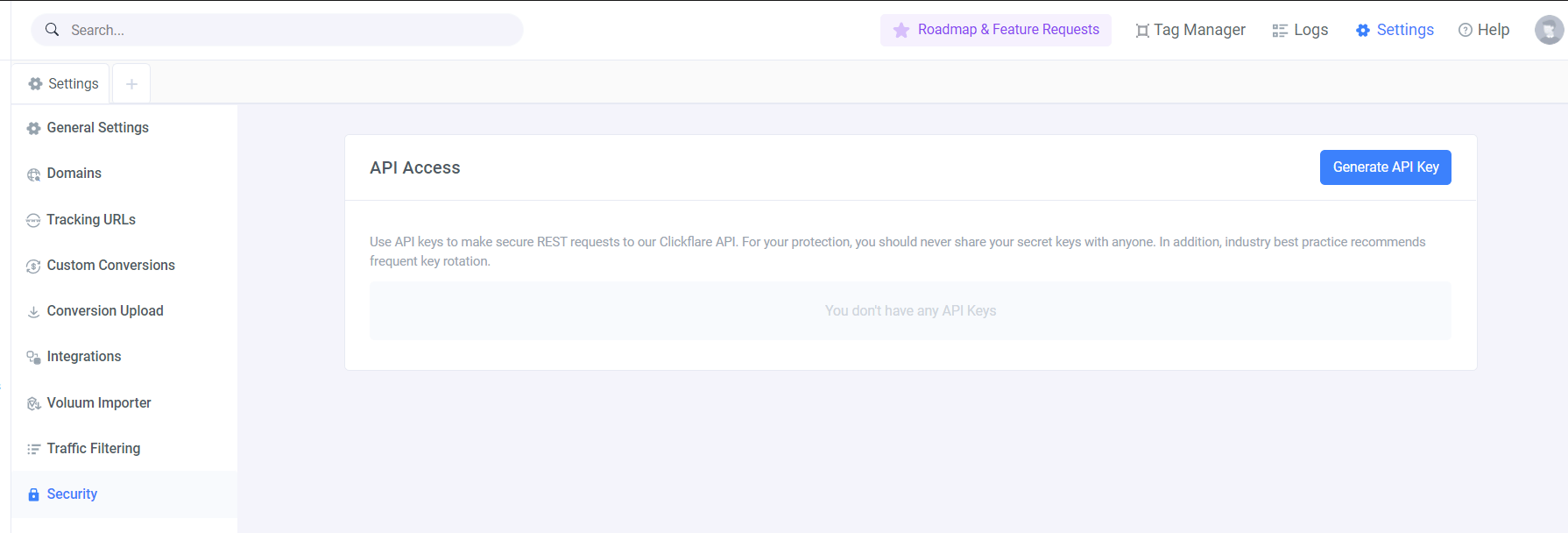 3. Then click on **Generate API Key**.
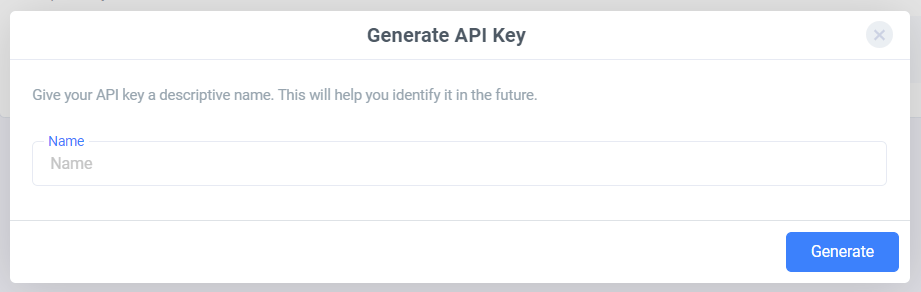 4. After **naming** your key, end the process by clicking **Generate**.
Note: Make sure to copy your newly generated key and paste it in a secure place.
From here, you can always create additional keys.
4. After **naming** your key, end the process by clicking **Generate**.
Note: Make sure to copy your newly generated key and paste it in a secure place.
From here, you can always create additional keys.