> ## Documentation Index
> Fetch the complete documentation index at: https://clickflare.com/docs/llms.txt
> Use this file to discover all available pages before exploring further.
# Domains in ClickFlare
> Configuring tracking domains
Recording visits and conversions is central to ClickFlare. To enable this, a **domain** is required to create all the necessary links for your campaign funnel: **click URL, postback URL, campaign URL,** and **tracking pixel URLs**.
You can manage domains in the **Settings Menu**, located to the right of **General Settings**. Access the Settings Menu from anywhere in the system by clicking the **gear icon** in the top-right corner.
 ## Main Domain
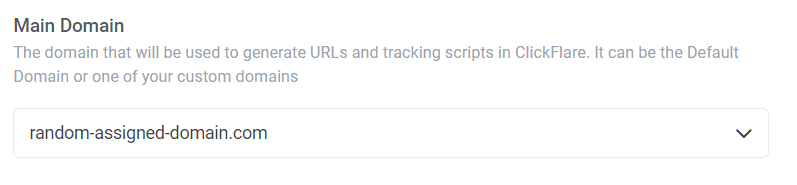
The **Main Domain** is used when generating your campaign URL, click URL, and tracking pixel URLs. It acts as the core domain that supports all links in your campaign setup.
You can choose either a **Dedicated Domain** or a **Custom Domain** as your Main Domain. Once selected, the domain will automatically be applied to all campaign-related URLs: campaign URL, click URL, postback URL, and tracking pixel URLs.
## Main Domain
The **Main Domain** is used when generating your campaign URL, click URL, and tracking pixel URLs. It acts as the core domain that supports all links in your campaign setup.
You can choose either a **Dedicated Domain** or a **Custom Domain** as your Main Domain. Once selected, the domain will automatically be applied to all campaign-related URLs: campaign URL, click URL, postback URL, and tracking pixel URLs.
 ## Dedicated Domain
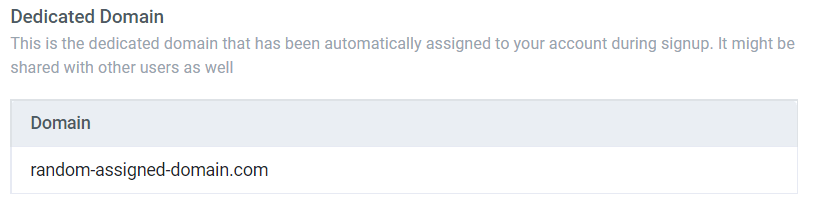
A **Dedicated Domain** is a unique domain automatically assigned to your account by ClickFlare.
**Note**: The default domain that comes with your account may be shared with other ClickFlare users
## Dedicated Domain
A **Dedicated Domain** is a unique domain automatically assigned to your account by ClickFlare.
**Note**: The default domain that comes with your account may be shared with other ClickFlare users
 ## Custom Domains
A **Custom Domain** allows you to track traffic exclusively from your campaigns, independent of other users’ activities. You can assign a Custom Domain to your campaign URL, click URL, and tracking pixel URLs for specific campaigns.
Check our guides on how to connect to a domain provider
* [Adding a Custom Domain (New Verification Method)](/docs/en/settings/adding-a-custom-domain-new-verification-method)
* [Cloudflare](/docs/en/settings/cloudflare)
* [GoDaddy](/docs/en/settings/go-daddy)
* [NameCheap](/docs/en/settings/namecheap)
**Important note**: We highly recommend using a Custom Domain for live ad campaigns.
## Visible Domain After Redirect
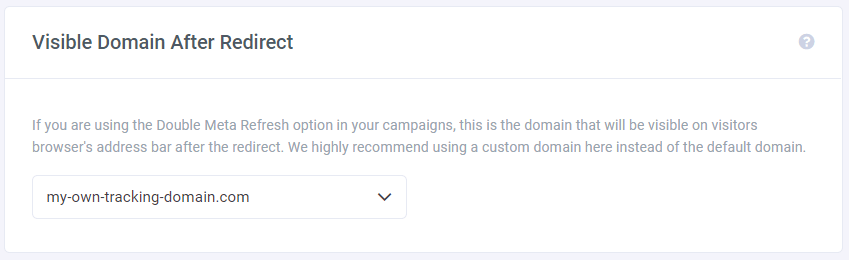
When using the **Double Meta Refresh** option in the transition from lander to offer, the **Visible Domain After Redirect** is the domain that appears in the user’s browser after redirection. This method loads a page’s head twice, hiding the referrer’s data while sending the visitor to your offer.
**Important note**: We recommend using a custom domain here rather than the default one.
## Custom Domains
A **Custom Domain** allows you to track traffic exclusively from your campaigns, independent of other users’ activities. You can assign a Custom Domain to your campaign URL, click URL, and tracking pixel URLs for specific campaigns.
Check our guides on how to connect to a domain provider
* [Adding a Custom Domain (New Verification Method)](/docs/en/settings/adding-a-custom-domain-new-verification-method)
* [Cloudflare](/docs/en/settings/cloudflare)
* [GoDaddy](/docs/en/settings/go-daddy)
* [NameCheap](/docs/en/settings/namecheap)
**Important note**: We highly recommend using a Custom Domain for live ad campaigns.
## Visible Domain After Redirect
When using the **Double Meta Refresh** option in the transition from lander to offer, the **Visible Domain After Redirect** is the domain that appears in the user’s browser after redirection. This method loads a page’s head twice, hiding the referrer’s data while sending the visitor to your offer.
**Important note**: We recommend using a custom domain here rather than the default one.
 ## Visible Page On Invalid Visit
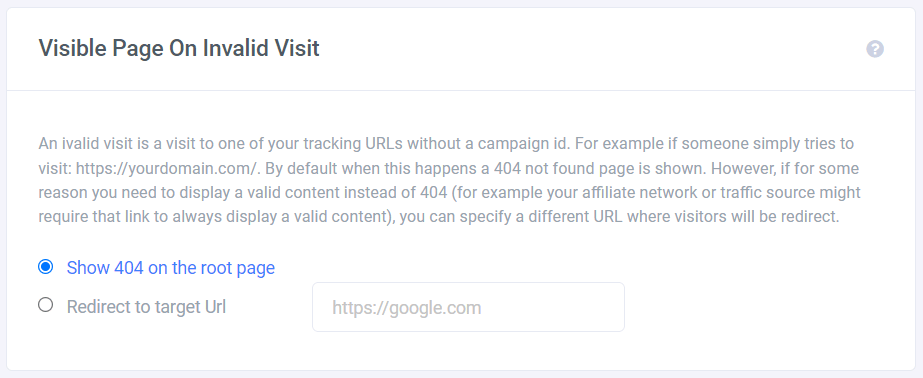
An **invalid visit** occurs when someone accesses a tracking URL without a campaign ID, e.g., `https://yourdomain.com/`. By default, this will show a **404 Not Found** page.
You can redirect such visits to a different URL (for example, your affiliate network) by entering the desired URL and clicking **Save**.
To do this, simply add the URL and click **Save**.
## Visible Page On Invalid Visit
An **invalid visit** occurs when someone accesses a tracking URL without a campaign ID, e.g., `https://yourdomain.com/`. By default, this will show a **404 Not Found** page.
You can redirect such visits to a different URL (for example, your affiliate network) by entering the desired URL and clicking **Save**.
To do this, simply add the URL and click **Save**.
 Hint: To ensure no untargeted visits are wasted, consider creating a fallback campaign to track all untargeted traffic.