> ## Documentation Index
> Fetch the complete documentation index at: https://clickflare.com/docs/llms.txt
> Use this file to discover all available pages before exploring further.
# Form submission trigger
> Harnessing ClickFlare Tag Manager: Form Submission Trigger Setup Made Simple
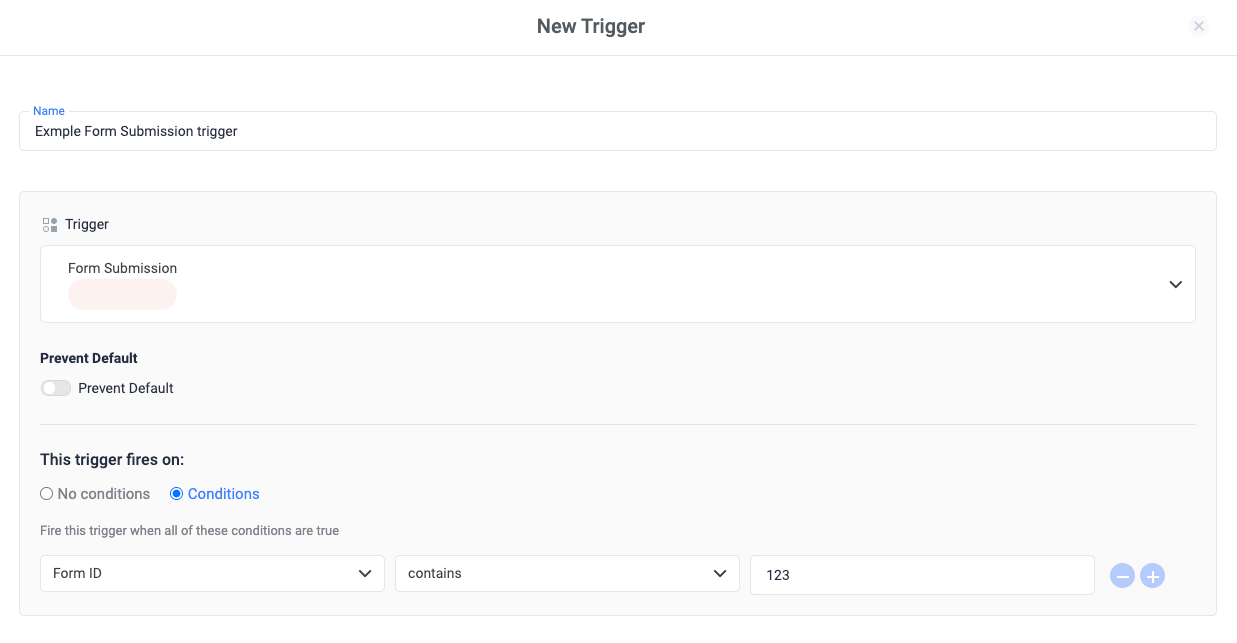
Under the *User Engagement* trigger group, you can find the form submission trigger. The ClickFlare Tag Manager's form submission trigger fires a tag when a form has been sent.
To configure a form submission trigger:
1. Click **Triggers > New**.
2. Click **Trigger Configuration** and choose the **Form Submission** trigger type.
3. Optionally, you can select a condition for when the trigger should fire, like a *Form ID*
 When a form submission trigger is activated, ClickFlare Tag Manager allows you to gather information entered by the user into the various form fields.
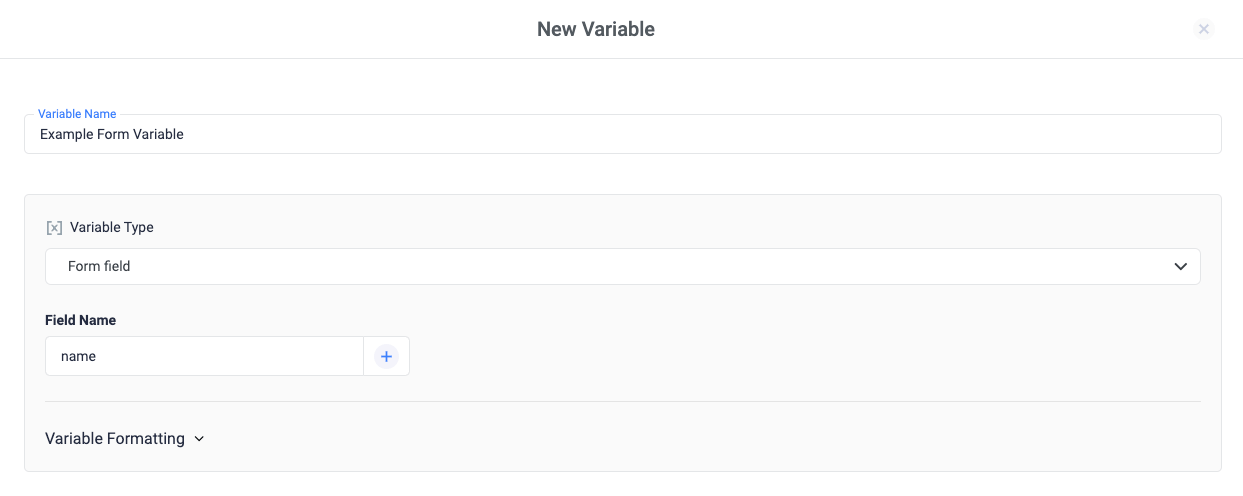
This can be achieved by using ClickFlare's built-in variables, like **Form field.**
When a form submission trigger is activated, ClickFlare Tag Manager allows you to gather information entered by the user into the various form fields.
This can be achieved by using ClickFlare's built-in variables, like **Form field.**
 ### Related Sources
* [Trigger Types](/docs/en/tag-manager-1/trigger-types)
* [How triggers work](/docs/en/tag-manager-1/about-triggers)
* [Built-in variables](/docs/en/tag-manager-1/about-built-in-variables)
### Related Sources
* [Trigger Types](/docs/en/tag-manager-1/trigger-types)
* [How triggers work](/docs/en/tag-manager-1/about-triggers)
* [Built-in variables](/docs/en/tag-manager-1/about-built-in-variables)