

What is a Deeplink in ClickFlare?
A deeplink in ClickFlare is a tracking URL that sends users to a specific destination page (such as an offer, landing page, or product page) while still passing through ClickFlare for attribution, tracking, and optimization. Unlike standard tracking URLs that send all traffic through rotation or conditional paths (if using multiple paths), deeplinks allow advertisers to control and test multiple destination pages within a single campaign.Why Deeplinks are Important
Using ClickFlare deeplinks helps you:- Send traffic to specific landing pages or offers
- Run A/B tests across multiple funnels
- Track conversions per destination page
- Maintain accurate click-to-conversion attribution
ClickFlare Deeplink Setup (Step-by-Step)
Step 1: Create or Edit a Campaign
- Go to Campaigns
- Select an existing campaign or create a new one
- Configure your funnel structure (lander → offer or direct offer)
Step 2: Generate Your ClickFlare Tracking URL
- Go to Traffic Sources and add the tracking parameter.
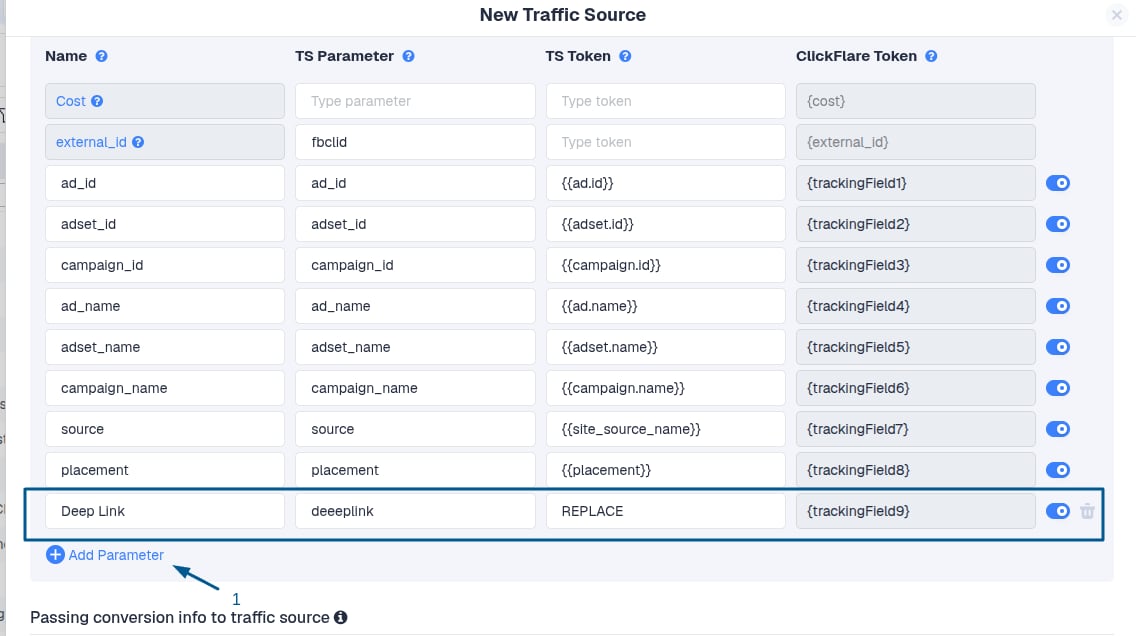
Step 3: Configure Funnel Structure
In the campaign flow:-
Set a default path with either offer only or a lander&offer
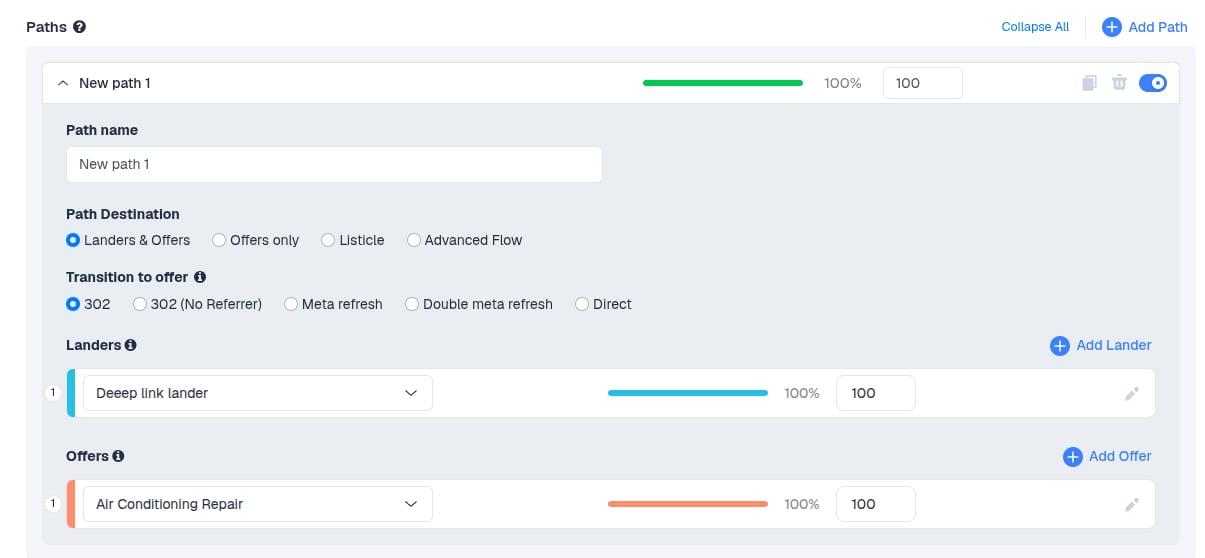
- This defines the first destination a visitor will be sent to after clicking the ad
-
Use conditional paths if you want to split traffic based on rules like:
- device type
- GEO
- traffic source
- custom parameter (When using landers, you also want to split traffic for the offer)
Step 4: Use Tracking Macros for Deeplinks
To dynamically pass deeplink values, use:- In this case: {trackingField9}
- Use the same macro used for storing the deeplink in the traffic source template
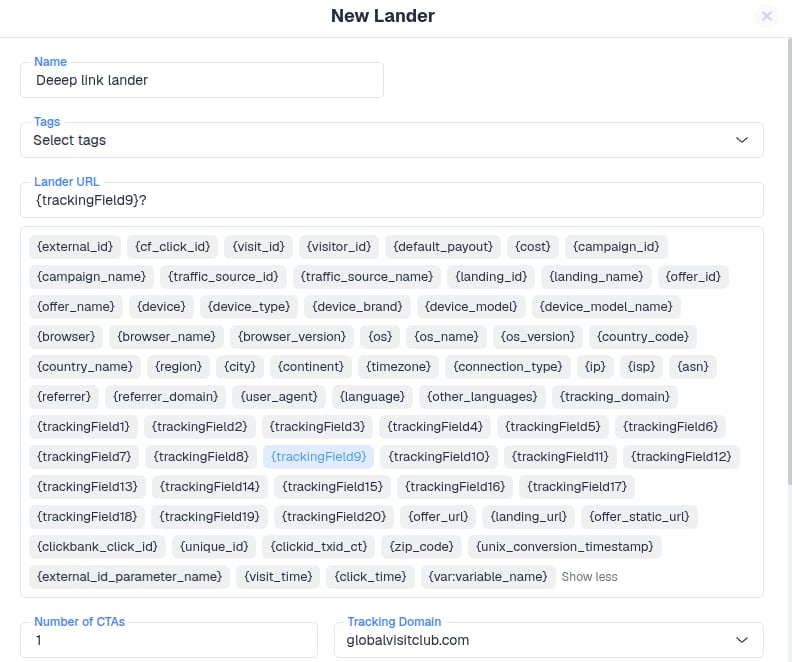
Step 5: Add Deeplink to Ads
To test different landing/offer pages, replace the deeplink parameter in your ad URL. Example:deeplink=https://example-lander.com/page1
Final URL example:
A/B Testing with Deeplinks
ClickFlare deeplinks allow you to test multiple landing pages without duplicating campaigns. Example use case:- Lander A → Conversion rate test
- Lander B → Engagement test
- Lander C → Mobile optimization test
Step 5: Funnel Setup Requirement
If you are using a lander → offer funnel, ensure the following:- The ClickFlare tracking script is installed on all landing pages
- The ClickFlare click URL is placed on all CTA buttons
- All redirects go through ClickFlare tracking links for proper attribution