

Link Guard is a paid add-on available on every plan for $30/month. See pricing.
What Link Guard monitors
Link Guard checks everything in your account automatically. There is nothing to select or configure, and new landers, offers, and domains are picked up as you add them.What triggers an alert
Link Guard raises two kinds of issues:- Broken: the URL doesn’t load. Typical causes are an error response (such as 404 or 500), a timeout, or an invalid or expired SSL certificate.
- Flagged: the domain has been listed by Google Safe Browsing as unsafe or deceptive. Chrome and other browsers that use Safe Browsing show visitors a full-page warning before the site loads, and ad platforms may reject or pause ads pointing to it.
Enable Link Guard
Add Link Guard to your subscription. Once it’s active, monitoring starts automatically across all your landers, offers, and tracking domains, and you’re notified as soon as an issue is detected.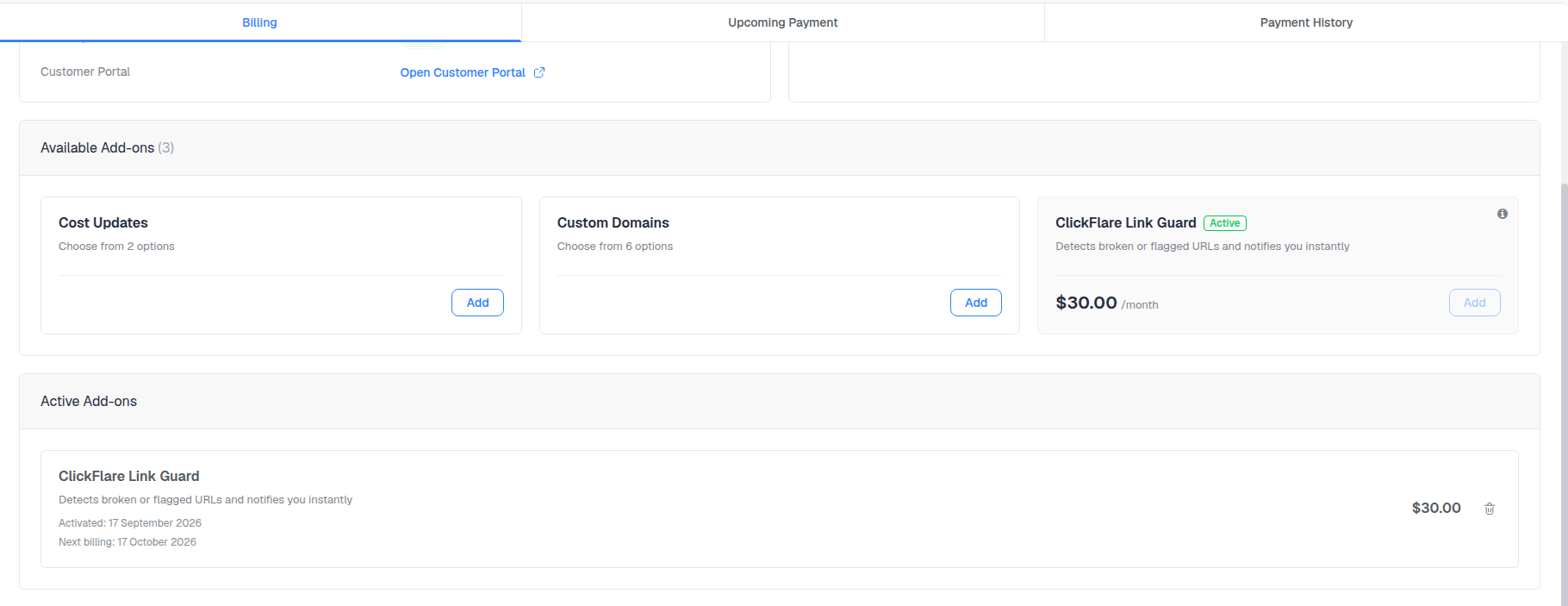
Responding to an alert
A lander is broken
A lander is broken
Check the page’s hosting and SSL first. If you can’t fix it quickly, remove the lander from the path, or set its weight to 0, so traffic moves to the remaining landers.
An offer is broken
An offer is broken
Contact your affiliate network to confirm whether the offer is paused or its URL has changed. Meanwhile, swap in a backup offer in the path so you aren’t paying for clicks that can’t convert.
A tracking domain is flagged
A tracking domain is flagged
Move affected campaigns to a fresh custom domain and update the URLs in your ads. If the source allows it, direct tracking removes the redirect through your tracking domain. You can also request a review of the flagged domain through Google Search Console once the cause is resolved.
A lander or offer domain is flagged
A lander or offer domain is flagged
Move the page to a clean domain, update the lander or offer URL in ClickFlare, and review the page content for anything that might have triggered the flag. For domains you own, request a review in Google Search Console after fixing the issue.