


What You’ll Need for the Integration:
- An active Inuvo PRISM RSOC account
- An active ClickFlare account
- Your Inuvo PRISM credentials (Email and Password)
Adding the Inuvo PRISM Integration to ClickFlare
1. Access the Integrations Menu:
- Click on the Left sidebar
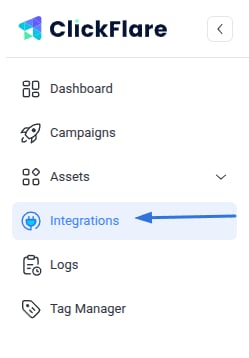
- Under RSOC, click Add Integration

2. Configure the Integration:
- Select the Inuvo PRISM template
- Assign a name to your integration (e.g., Inuvo PRISM)
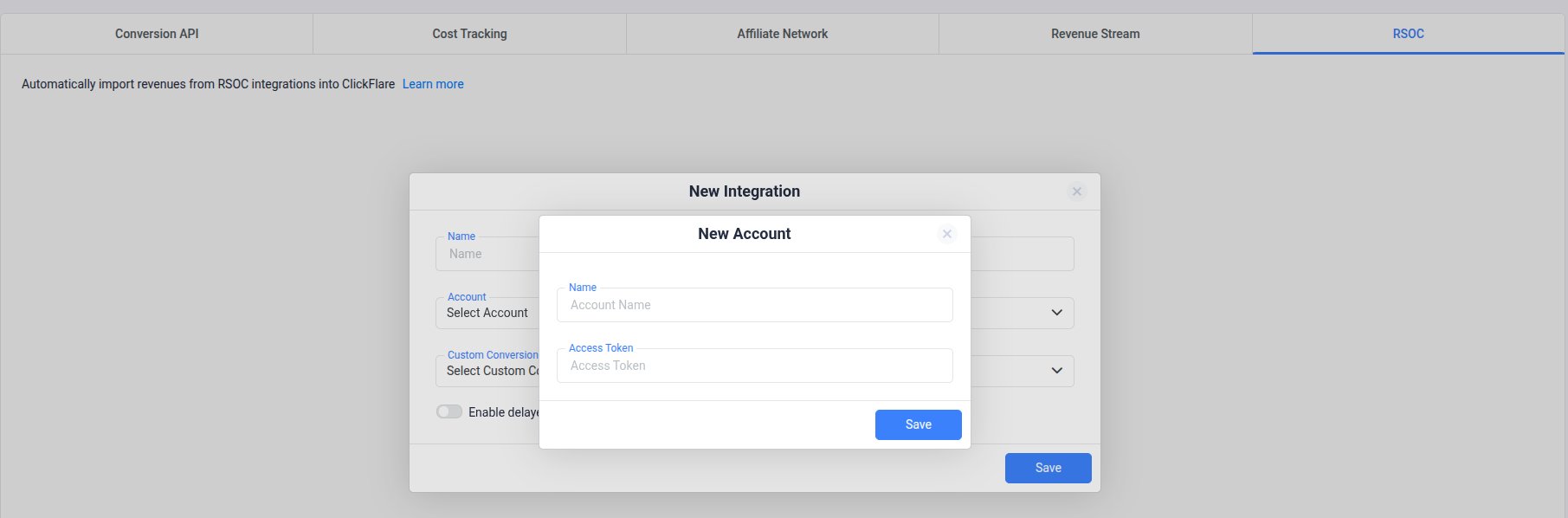
- Click + Connect Account under Accounts
-
Enter your Inuvo PRISM account name and Access Token, then click **Save
3. Select a Custom Conversion:
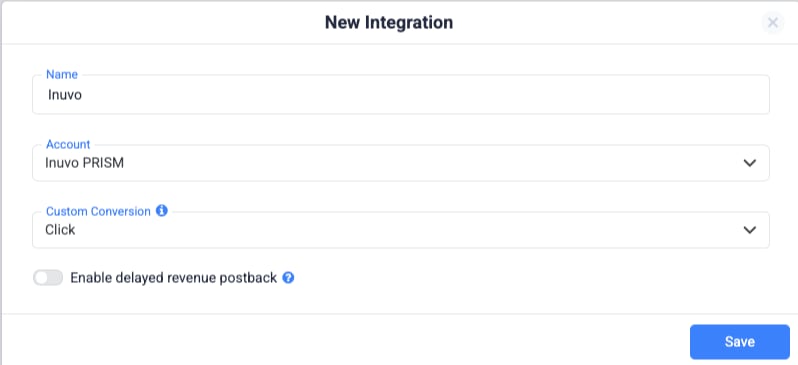
- Choose the custom conversion event you want to attribute the conversion data to
- If you haven’t created a custom conversion yet, follow our custom conversion guideto set one up
4. Save the Integration:
- Click on Save
- The new integration will appear under RSOC Integrations
Offer URL Template for Inuvo PRISM RSOC
When setting up offers in ClickFlare, make sure to include the necessary tracking parameters to ensure proper tracking.Postback Template for Inuvo PRISM RSOC (Required)
To enable revenue and conversion tracking from Inuvo PRISM in ClickFlare, you must configure the following postback in your PRISM account:⚠️ Important
The following parameters are mandatory in the postback:- click_id={click_id}
- param10={tkid}
- param11={agid}
Additional Considerations
Time Zone Alignment
- Use PST in ClickFlare to match PRISM’s reporting time zone and avoid discrepancies.
Currency Settings
- Inuvo PRISM RSOC reports revenue in USD.
- ClickFlare will handle currency conversion automatically if your account uses a different currency.
FREQUENTLY ASKED QUESTIONS
Q1: How often is revenue and conversion data updated?A1: Data is synced hourly for 3 days, with one final sync after 10 days to catch late updates.
Q2: Is the postback setup required?A2: Yes. The Click postback is required for ClickFlare to track conversions and revenue. All other event postbacks are optional.
Q3: Can I integrate more than one Inuvo PRISM RSOC account?A3: Absolutely. Just repeat the integration steps for each account you want to connect.
Q4: What currency does PRISM use for reporting?A4: All revenue data is reported in USD.
Q5: What time zone should I use for proper reporting?A5: Use PST time in ClickFlare to align with PRISM’s reporting system.