

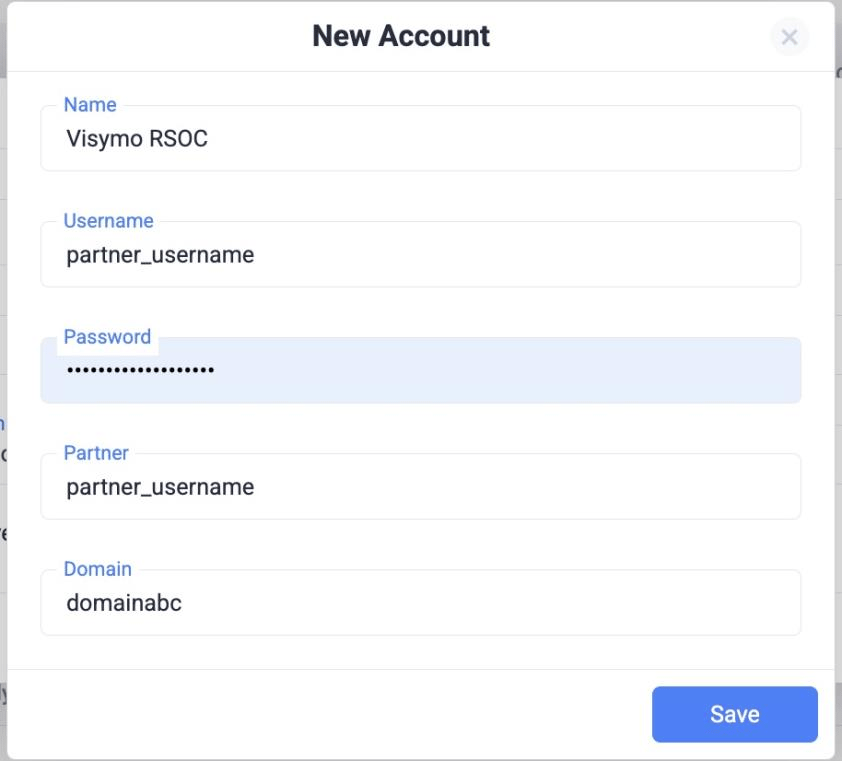
1. Set Up the Integration
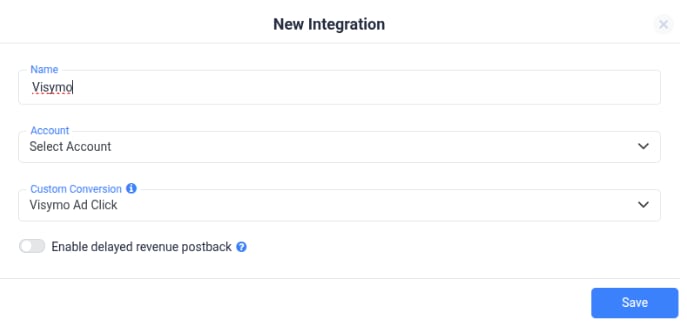
- Go to RSOC Integrations → Visymo/JAMPROJECT → New Integration.
- Fill in:
- Name: e.g., “Visymo RSOC”
- Username, Password, Partner, Domain: provided by JAM.
2. Add Custom Domain
- Go to Domains in ClickFlare → Add New.
- Use values from JAM:
- Subdomain: trk
- Root Domain: provided by JAM
- Select Other as DNS provider.
3. Parameter Retention (Critical)
Visymo requires these parameters to pass through:- q → Search Query
- locale → Locale
- ctid → ClickFlare Click ID
If q or locale are missing/mismatched, redirects will fail.
Set up in ClickFlare
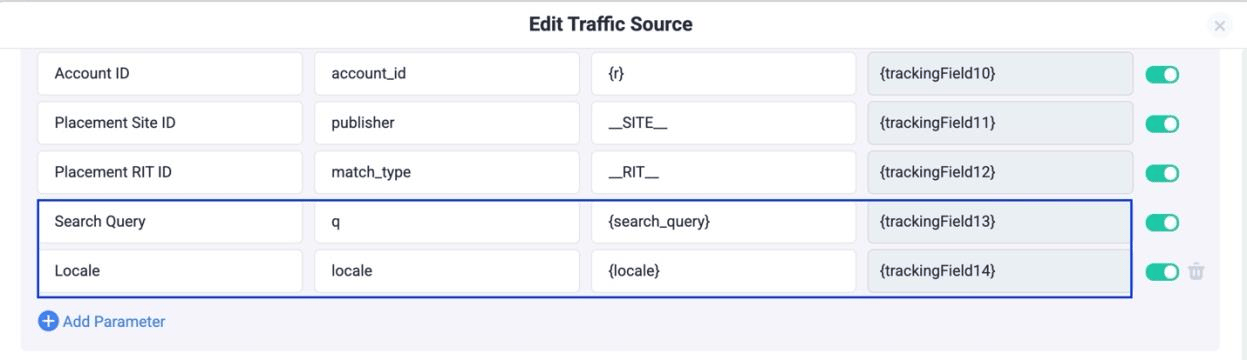
Traffic Source Parameters- Add Search Query:
- Name: Search Query - TS Parameter: q - TS Token: {search_query}
- Add Locale:
Name: Locale TS Parameter: locale Token: {locale}
- Append Parameters to the Offer URL
Important: For the exact tracking field numbers, refer to your traffic source template. In this setup, we are storing:
- q (Search Query) → trackingField13
- locale → trackingField14 These are the values you need to use when mapping the offer URL:
Offer Templates, Facebook & TikTok
Required Parameters: Facebookasid=REPLACE_VISYMO_CHANNEL&rac=CREATIVE_TEXT&de=m&pub=faceboo&locale=trackingFieldXXX• Replace {trackingFieldXXX} with your tokens from Step 1. TikTokasid=REPLACE_VISYMO_CHANNEL&rac=CREATIVE_TEXT&de=m&pub=tiktok&• Replace {trackingFieldXXX} with your tokens from Step 1.These templates ensure that all required parameters are dynamically passed from the tracking URL to the offer URL.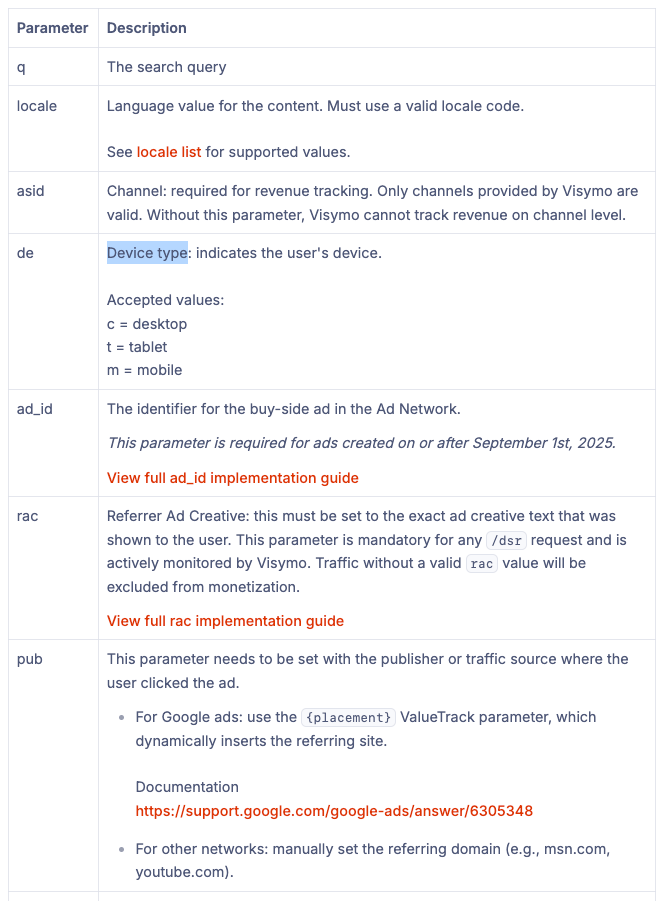
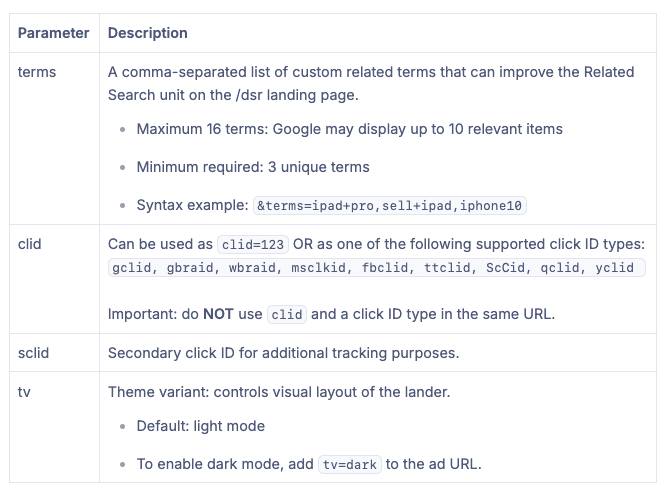
- Optional Parameters: Example: &terms=ipad+pro,sell+ipad,iphone10&tv=dark**
- Facebook:
- TikTok
Postback URL
Important Parameters: These parameters must be included in the postback URL for proper tracking:
Visymo reports revenue in PST, so make sure to use the correct timezone when comparing between CF and Visymo