

What You’ll Need for the Integration:
- An active Tonic RSOC account
- An active ClickFlare account
- Your Tonic API Token and Secret
Adding the Tonic RSOC Integration to ClickFlare
1. Access the Integrations Menu:
- Click on the left sidebar Menu:
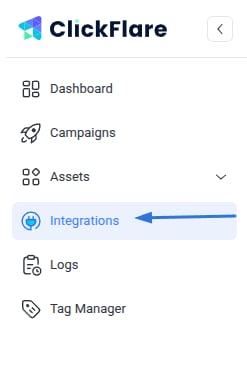
- Under RSOC, click Add Integration

2. Configure the Integration:
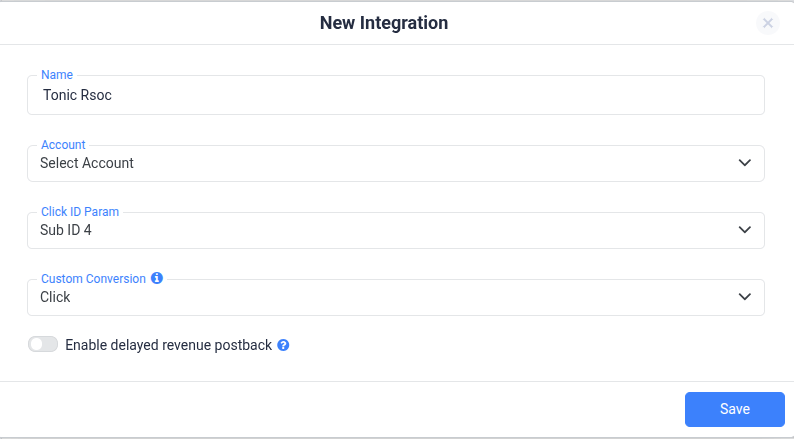
- Choose the Tonic RSOC template
- Assign a Name to your integration
- Click + Connect Account under Accounts
- Enter your account name and credentials (username + password), then click Save
3. Select a Custom Conversion:
- Choose the custom conversion event you want to attribute the conversion data to
- If you haven’t created a custom conversion yet, follow our custom conversion guide to set one up
4. Save the Integration:
- Click on Save, and the new integration will appear under the RSOC Integrations section
Offer URL Template for Tonic RSOC
The setup for the Offer URL remains the same as for AFD. Make sure to:- Pass the ClickFlare click ID ({
cf_click_id}) in the subid4 parameter. - Include Tonic’s required parameters: network, site, site ID (for native networks), and adtitle.
Postback Template for Tonic RSOC
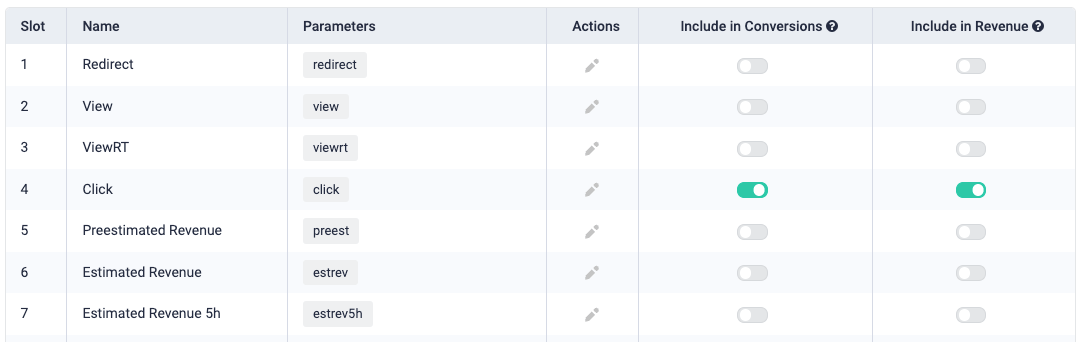
The postbacks (also known as Callbacks) remain the same as for AFD, with one key difference: You must pass the Tonic Campaign ID in ClickFlare Conversion Parameter 10 (param10). Below are the updated postback URLs you need to set up: RedirectNote: Make sure to update the domain in the postback with your tracking domain
Additional Considerations
Time Zone Alignment:
Tonic RSOC revenue reporting operates on PST time. Make sure your ClickFlare account settings are also set to PST to ensure consistent and accurate reporting.Currency Settings:
Tonic RSOC earnings are reported in USD. When setting up offers in ClickFlare, select USD at the offer level. ClickFlare will automatically convert the revenue into your default reporting currency.API Integration Details
To ensure both fast and highly accurate revenue reporting at the click level, ClickFlare’s integration with Tonic RSOC uses a combination of two API endpoints:- epc/daily
- rsoc/stats_by_country
FREQUENTLY ASKED QUESTIONS Got questions? Find the answers below:
Q1: How often is revenue and conversion data updated?A1: Conversion and revenue data are automatically updated every hour for up to 3 days from the time the conversion occurs. Additionally, a final sync is performed after 10 days to capture any late changes made in Tonic RSOC.
Q2: What happens if I don’t configure the postbacks correctly in Tonic RSOC?A2: If you don’t implement the postback, the conversions and revenue for the main conversion (“click”) will be pulled only through the API integration. This will cause a delay in conversion reporting, plus you might lose information about the converting keyword.
Q3: What parameters must I include in the Offer URL?A3: You must pass the ClickFlare click ID using {cf_click_id} in the subid4 parameter. In addition, Tonic requires you to include network, site, site ID (for native), and ad title.
Q4: What’s different about the postback setup for Tonic RSOC compared to AFD?A4: The structure is mostly the same, but with Tonic RSOC, you must pass the campaign ID in ClickFlare’s conversion parameter 10.
Q5: Can I connect multiple Tonic RSOC accounts in ClickFlare?A5: Yes, you can integrate multiple accounts by repeating the integration setup for each one in the RSOC Integrations panel.
Q6: What time zone and currency should I use?A6: Tonic RSOC reports in PST and USD. We recommend aligning your ClickFlare time zone with PST and using USD at the offer level. Revenue will be automatically converted to your account’s default currency if different.