

- Click Triggers > New.
- Click Trigger Configuration and choose the Event trigger type.
- Enter an event name.
- Enter a condition when the trigger should fire, like a page URL for example
- Click Save
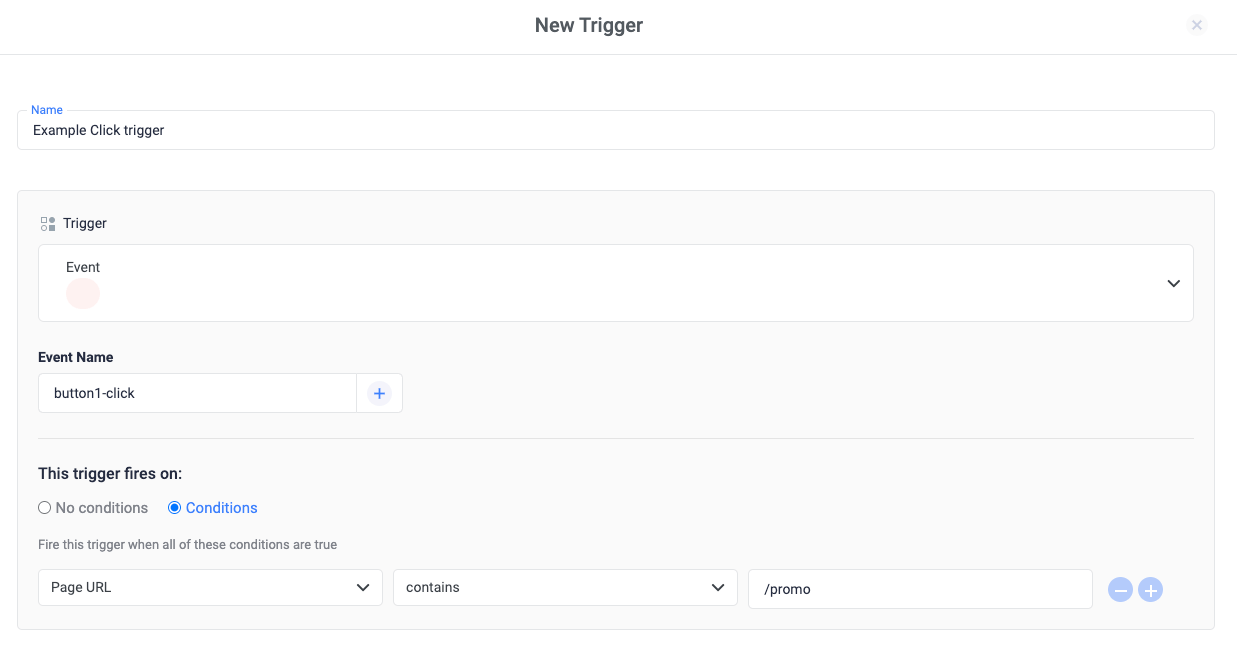
Example configuration
Here is an example web configuration that will fire a tag when a custom event called ‘button1-click’ is pushed to the data layer:-
Add code that will push the event into the data layer when the button is clicked:
- Create a new custom event trigger. In the Trigger Configuration section of your new tag, use these settings:
window.clickflare.push() to send multiple variables together with the event. For example: Send a conversion value with the custom event name: