



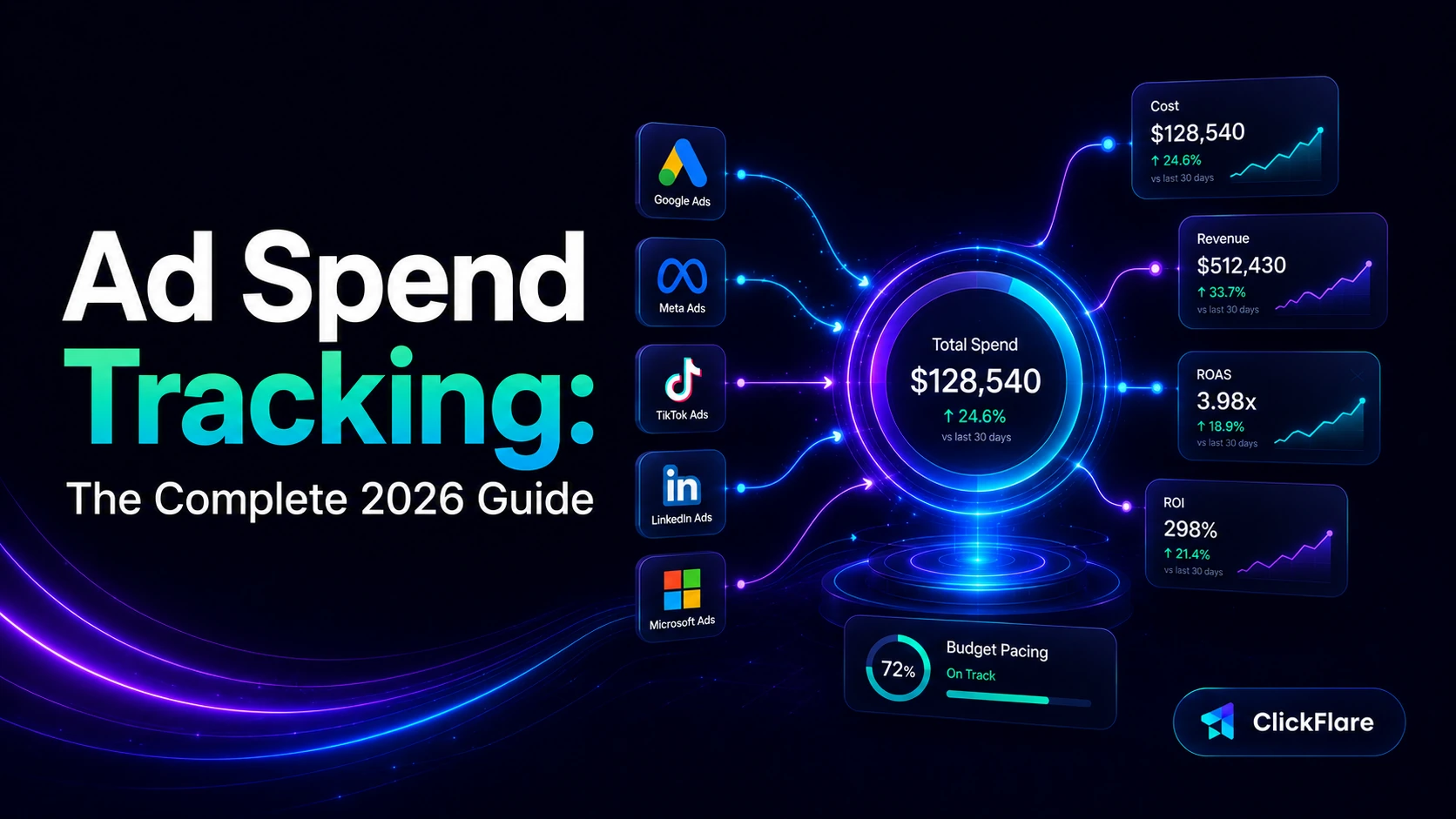

If you run paid campaigns on more than one platform, you already know the problem with ad spend tracking: every network reports its own numbers, on its own schedule, in its own dashboard. By the time you have added it all up in a spreadsheet, the data is already a few hours old and half your optimization window is gone. Ad spend tracking is how you pull all that cost data into one place, tie it to real revenue, and see which campaigns are actually profitable instead of guessing.
In this guide, we will break down what ad spend tracking is, the metrics that matter, and how to set up a system that keeps your cost data accurate and fresh across every source.
Quick Summary
Ad spend tracking is the process of monitoring, recording, and analyzing how much you spend on advertising across all your channels, then connecting that spend to the clicks, conversions, and revenue it produces. Instead of checking Meta, Google Ads, TikTok, and your native platforms one at a time, you bring every cost figure into a single view so you can measure real performance.
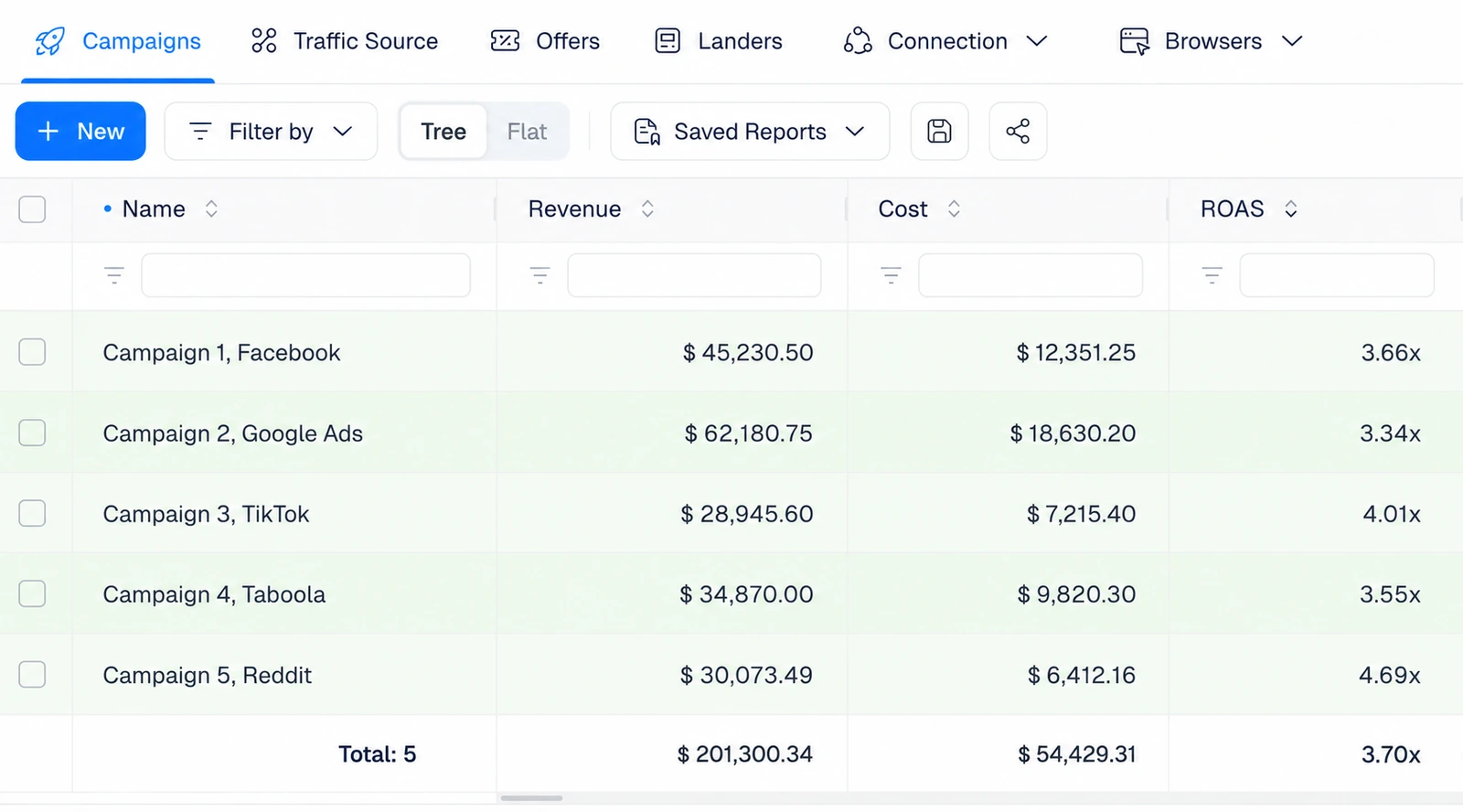
At a basic level, good ad spend tracking tells you exactly how much each campaign, ad set, and ad costs, and compares that to what each one earns. That connection is what lets you say “this specific campaign spent $400 yesterday and returned $1,200,” rather than trusting a platform dashboard that only sees its own slice of the picture.
It is worth separating two terms that often get mixed up. Budget pacing is about spreading a budget evenly over a period, for example spending roughly $1,000 a day out of a $30,000 monthly plan. Ad spend tracking is what tells you whether that plan is actually happening. Pacing sets the target; tracking measures reality.
If you only check the numbers each platform shows you, you are seeing an incomplete and sometimes inaccurate picture. Reliable ad spend tracking matters for a few concrete reasons:
There is also a timing catch that trips up a lot of advertisers. Platform-reported spend is not always steady or final. Google Ads, for example, can spend up to twice your average daily budget on high-opportunity days and balance it out later, while Meta paces delivery in its own way. On top of that, privacy changes like iOS updates have made browser-based numbers less reliable. All of this is why pulling cost into a dedicated tracker, on a frequent schedule, beats eyeballing platform dashboards.
Tracking spend on its own is only half the job. The value comes from reading it against the metrics that tell you whether that spend is working. These are the ones to keep in front of you.
ROAS is usually the headline number, since it answers the one question every advertiser cares about: is this making money? A ROAS of 4 means you earn $4 for every $1 spent. But ROAS is only as trustworthy as the cost data behind it. If your spend figures are stale or incomplete, every metric built on top of them is off too, which is exactly why the tracking layer matters so much.
With an ad tracker like ClickFlare, you can see all these metrics under one dashboard. If you cannot find a metric from the default list, you can create a custom metric of your own.
There is more than one way to track ad spend, and most advertisers move up this ladder as they scale. Each step trades a bit more setup for a lot less manual work.
In-platform tracking is free and fine for a single channel. Spreadsheets give you a combined view but eat hours and introduce mistakes every time you copy and paste. Once you are running paid traffic across several networks, a dedicated tracker becomes the obvious choice, because it consolidates everything and keeps it current without manual work. If you are weighing options, our guide to the best ad tracking software in 2026 walks through how the main tools compare.
ClickFlare is built to make ad spend tracking automatic. Rather than exporting numbers from each network, you connect your ad accounts once and ClickFlare pulls cost data directly through API integrations, at the campaign, ad set, and ad level. That cost then lands in the same dashboard as your clicks, conversions, and revenue, so you can read ROI and ROAS for every source without switching tabs.
ClickFlare currently offers direct cost integrations with a wide range of ad platforms, including:
Because the cost is pulled straight from the source, you are not relying on manual entry or a delayed export. The number you see in ClickFlare is the number the platform is actually charging you, matched to the exact campaign that spent it.
Direct integrations cover the major networks, but plenty of advertisers buy traffic from sources that do not offer one. ClickFlare handles those too. Using server-to-server (S2S) postbacks and cost tokens, ClickFlare can capture cost from virtually any platform, as long as the parameters are mapped correctly during setup.
That means traffic sources like PropellerAds, Mondiad, AdCash, PopAds, and many others can still feed cost into the same unified report as your direct integrations. In practice, this closes the gap that usually forces advertisers back into spreadsheets for their smaller or more niche sources. If you are new to how this method works, our beginner-friendly guide to what a postback URL is explains it step by step.
Here is a part of ad spend tracking that quietly makes or breaks your results: how often your cost data refreshes. If your tracker only updates spend once an hour, then for up to an hour you are optimizing against numbers that are already out of date. On a small budget, that gap is minor. On a large one, it can be expensive.
Think about the math. If you are spending five figures a day, a lot of budget can move in the time between two cost updates. A campaign that looked profitable at the last refresh might already be underwater by the time you act on it. The higher your ad spend, the more valuable frequent, near-real-time cost updates become, because every optimization decision you make is only as good as the freshness of the data behind it.
ClickFlare gives you control over this. Across its plans, cost update frequency scales with your needs:
The full breakdown of update frequencies and upgrade options is shown below.
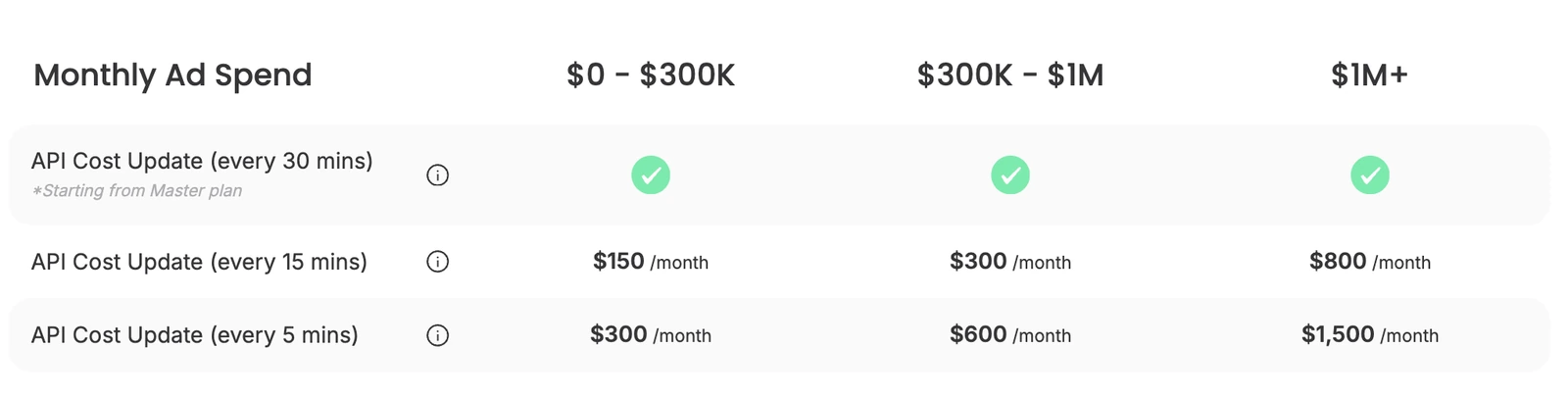
The takeaway is simple. If you are running large budgets or fast-moving campaigns, more frequent cost updates are not a luxury, they are how you avoid reacting to yesterday’s numbers. Matching your update frequency to your spend level is one of the highest-leverage decisions in your entire tracking setup.
One of the biggest worries with any tracker is setup, but connecting your cost data in ClickFlare is straightforward and does not require a developer.
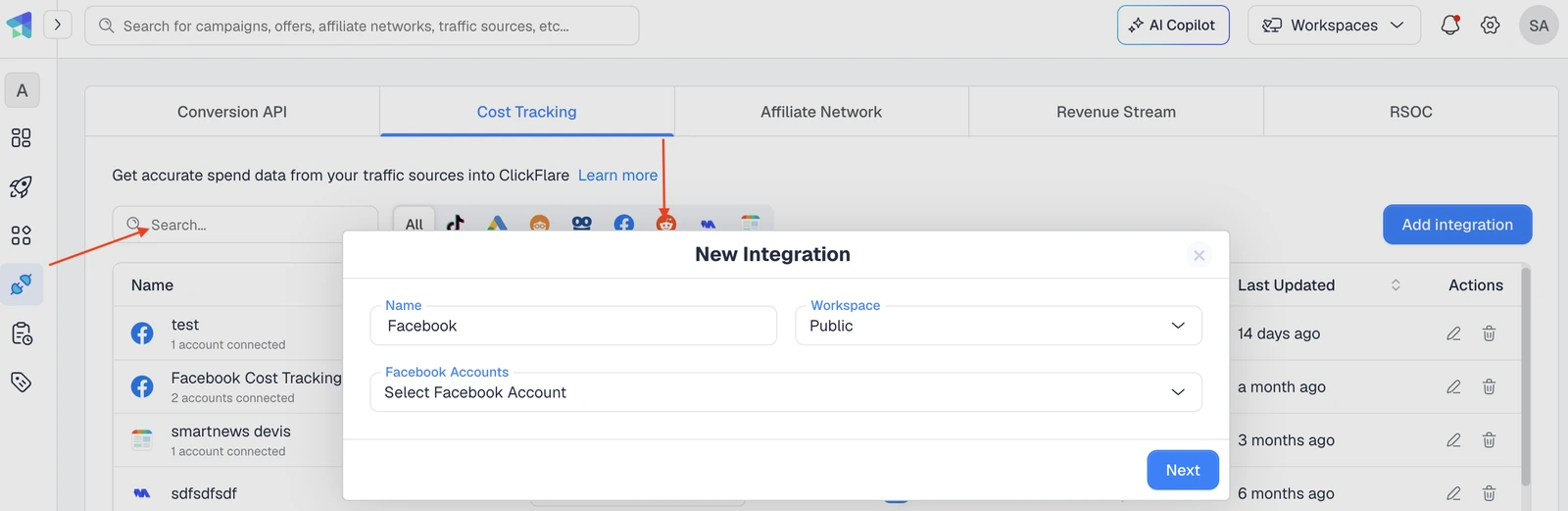
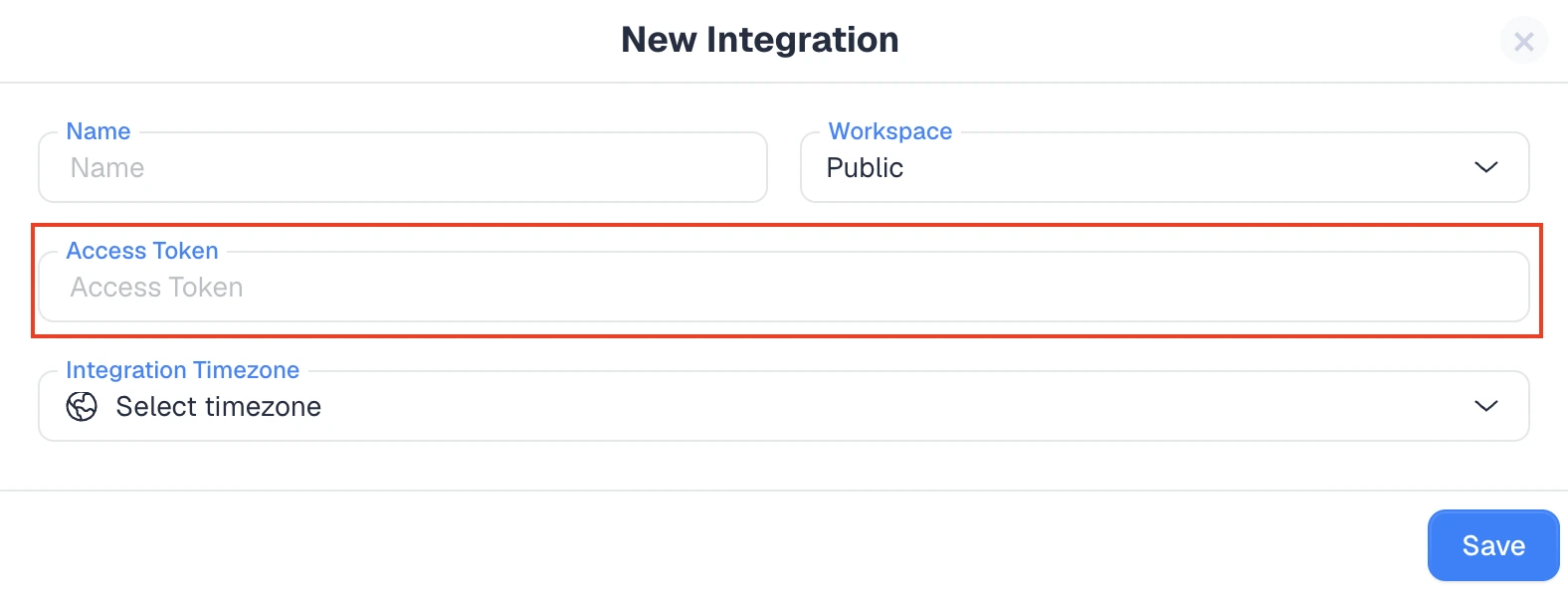
There is no complex technical configuration involved. As soon as your credentials are in place, ClickFlare starts pulling cost automatically on your plan’s schedule, and it keeps doing so in the background so your reports stay current.
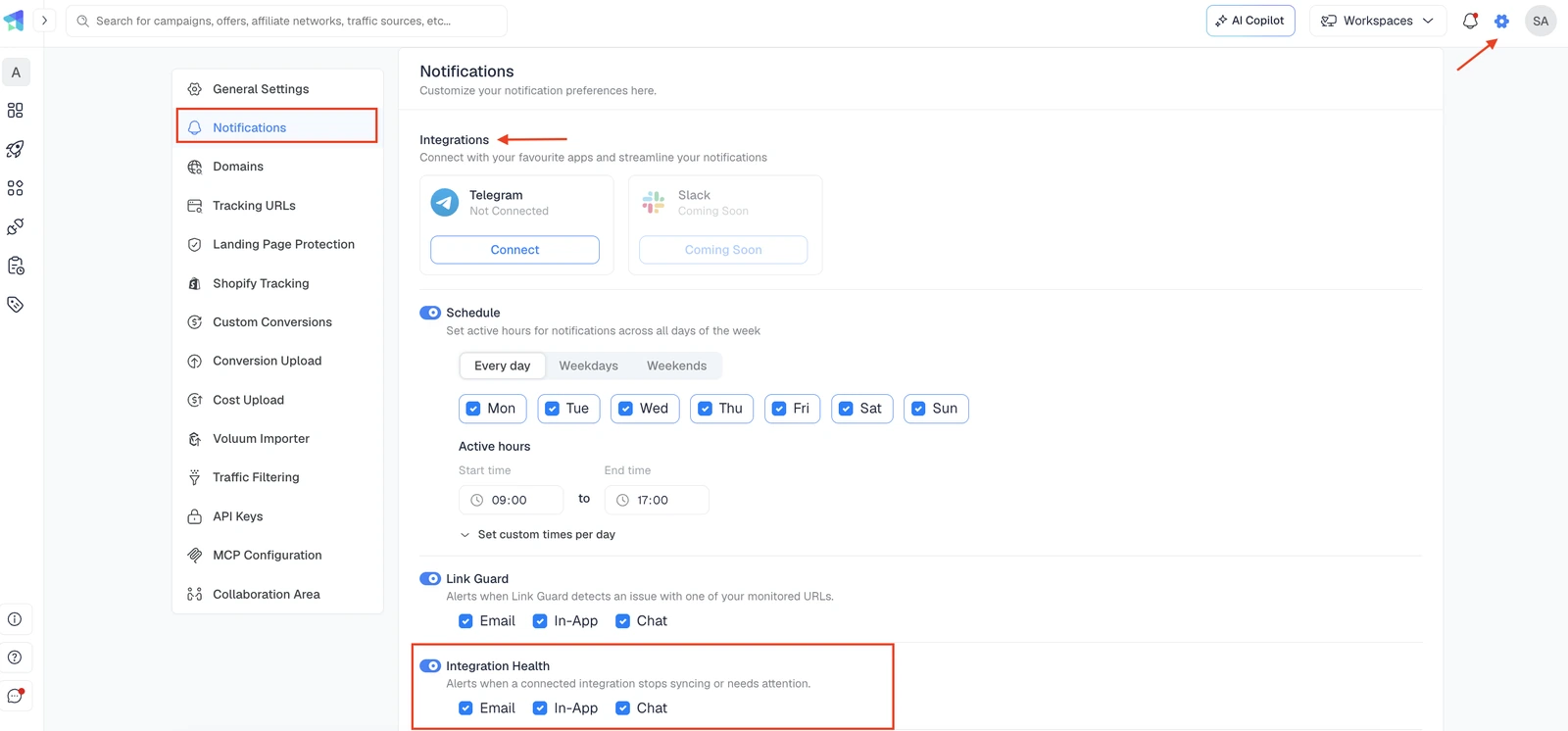
Even the best ad spend tracking setup has one common weak point: integrations occasionally break. Platforms like Meta take security seriously and will disconnect an integration until you re-verify your tokens or sign in again. When that happens quietly, you can lose hours of cost data before you even notice, and gaps in your spend history make every downstream metric less reliable.
ClickFlare closes that gap with a notifications feature. The moment an integration goes down, you get alerted so you can reconnect it right away, before any meaningful data is lost. You can receive these alerts by email, inside the ClickFlare app, or through your preferred channel such as Telegram or Slack. Instead of discovering a broken connection days later, you catch it in minutes and keep your ad spend data complete.
Ad spend tracking is what turns a pile of disconnected platform dashboards into a clear answer about where your money is going and what it is bringing back. The advertisers who get it right are not the ones checking five tabs every morning, they are the ones pulling cost into one place, on a frequent schedule, with alerts when something breaks. With direct integrations across 18+ platforms, postback support for the rest, flexible update frequencies, and break notifications, ClickFlare gives you the accurate, up-to-date cost data that every profitable optimization decision depends on.
Ad spend tracking is the process of monitoring and analyzing how much you spend on advertising across all channels, then tying that spend to the clicks, conversions, and revenue it generates. It gives you one accurate view of cost and true return instead of scattered platform numbers.
Without it, you risk wasting budget, missing profitable campaigns, and being unable to prove real ROI. Accurate ad spend tracking links every dollar spent to revenue, so you can reallocate budget toward winners and pause losers before they drain your account.
The most reliable way is a dedicated tracker that pulls cost automatically from each network into one dashboard. ClickFlare does this through direct API integrations for major platforms and server-to-server postbacks for the rest, so all your spend sits in a single report.
Yes, especially at higher budgets. If cost data only refreshes once an hour, you may optimize against outdated numbers and overspend before you notice. More frequent updates, such as every 30, 15, or 5 minutes, help you react faster and protect large budgets.
Yes. Even without a direct API integration, ClickFlare can capture cost from almost any platform using server-to-server postbacks and cost tokens, as long as the parameters are mapped during setup. This covers sources like PropellerAds, Mondiad, AdCash, and many others.
Budget pacing is the plan for spreading a budget evenly over a period. Ad spend tracking measures what actually happened. Pacing sets the target spend per day, while tracking confirms whether you hit it, so you can correct course when the two drift apart.






