One script on your page.
Track everything.

Add the tracking script once. Then create, modify, and deploy tags and triggers from the dashboard. No developer needed. No code changes after setup. Works on any platform.
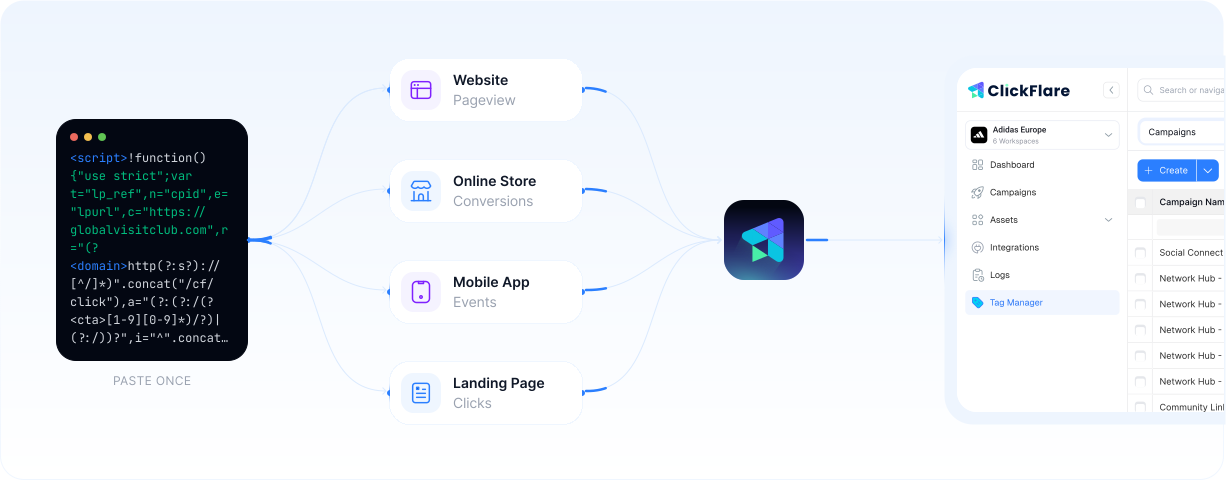
ClickFlare Tag Manager dashboard
$578M+
Ad spend tracked (2025)
3,500+
Media buyers
2.3B
Events tracked
<50ms
Redirect speed

No tracking change should need a developer

Adding a pixel, fixing a fired event, launching a new campaign. Each one means editing site code or waiting on a ticket. Tracking stalls while the work piles up.
Slow

Stuck waiting on developers

A new pixel or a quick fix sits in the dev queue for days while campaigns wait.
Risky

Every code edit can break tracking

Hand-editing site code to add tags is how pixels silently stop firing.
Scattered

Pixels spread across every page

No single place to see what's firing, where, or whether it still works.

Three steps. Zero code changes after setup.

Install the script once. Everything else happens inside ClickFlare.
1

Add the tracking script

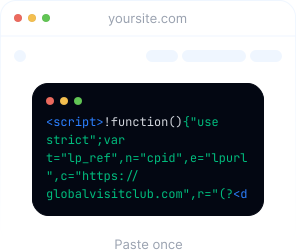
Paste one script tag onto your website. This is the only time you touch your code.
ClickFlare tracking script snippet
2

Create tags and triggers

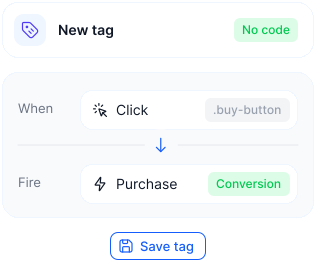
Define what you want to track and when it should fire. All configured inside ClickFlare.
ClickFlare create tags interface
3

Track any event, anywhere

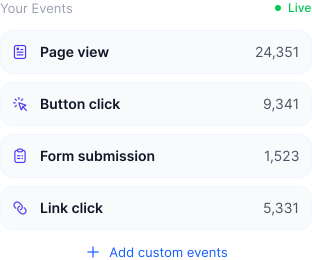
Page views, button clicks, form submissions, link clicks, checkout events.
Track any event, anywhere

Your entire pixel stack in one place

Manage all your tracking pixels, define flexible triggers, and track outgoing links without replacing a single URL on your page.

All your pixels. One dashboard.

Deploy Meta pixels, Google Ads conversion tracking, TikTok events, GA4 tags, and custom HTML from the same interface. The Universal Tag loads them all. Works alongside Conversion APIs.
Meta, Google, TikTok, Snapchat, GA4, and custom HTML
Works alongside CAPI for pixel plus server-side tracking
Enable, disable, or swap pixels without touching your site
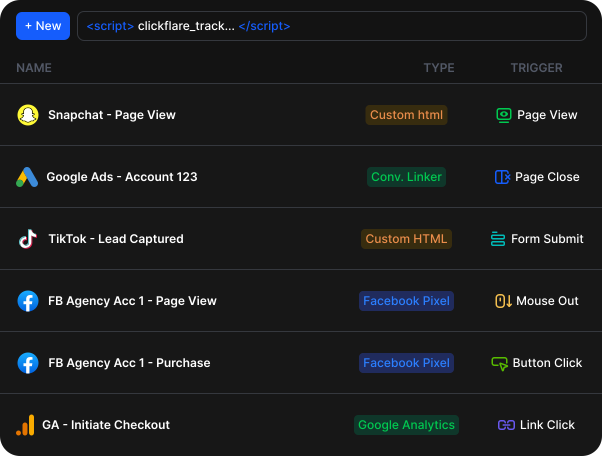
All pixels managed inside ClickFlare

Fire tags exactly when you need them

Define triggering conditions for every tag. Fire on all page loads, or only when specific conditions are met: a URL contains a keyword, a button is clicked, a form is submitted, or any combination.
Triggers: page view, click, form submit, page close, mouse out
Match on URL, path, referrer, or any custom variable
Fire on every page or only where conditions are met
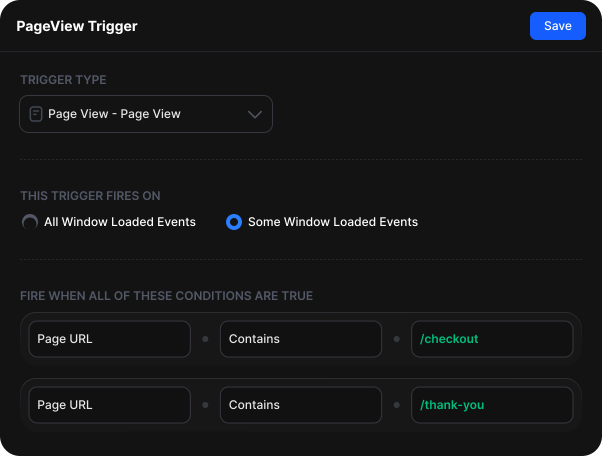
	ClickFlare trigger conditions for firing tags

Track every outbound click without changing your links

See which outgoing links your visitors click and pass that data straight into your tracking, without swapping URLs or editing your pages. Every click gets attributed automatically.
Track outbound clicks without replacing a single URL
Attribute clicks to the pixel or event that matters
Works across landers, offers, and external destinations
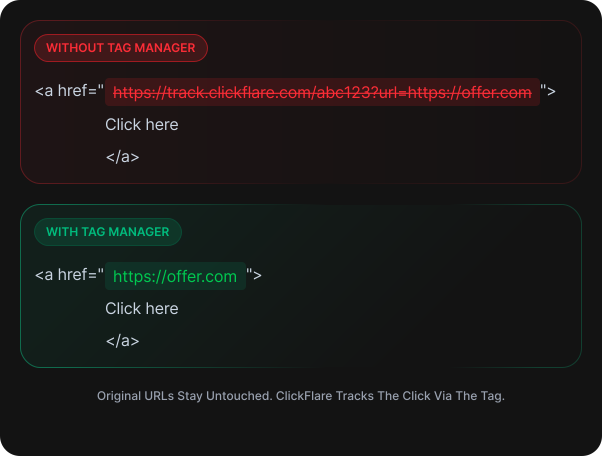
ClickFlare outbound link click tracking
Tom van der Kolk
Founder, The Longevity Store®
We use ClickFlare as our traffic layer: A/B testing landers, managing tracking links across the funnel, and getting funnel-level visibility we couldn't get elsewhere. Prelander CTR, add-to-cart rate, drop-off between steps. Before ClickFlare we could see purchase counts but not the funnel behind them. Now we compare landers, headlines, and offer positions side by side and decide faster. Conversions flow back to Meta via CAPI, which keeps our ad account data clean. Support has been fast and specific too. Real answers, not tickets.

When you need the Tag Manager

Common scenarios where the Tag Manager saves you time and removes developer dependency.

E-commerce checkout events

Track add-to-cart, initiate checkout, and purchase events on Shopify, WooCommerce, or custom stores without editing theme code.

Lead generation form submissions

Fire a conversion event when a form is submitted on your landing page. Works with any form builder or custom HTML form.

Outgoing link click tracking

Track which affiliate links or offer URLs get clicked on your landing pages without replacing the original URLs.

Multi-pixel deployment

Deploy Meta, Google, TikTok, and Snapchat pixels from one place. Swap, disable, or A/B test pixels without a code change.