

Black Friday came early. Early-access prices until Nov 8.Black Friday: early-access prices until Nov 8.Early-access price ends in0d00h00m00sClaim the deal




If you run affiliate campaigns long enough, some of the "conversions" you pay for will not be real. Fake clicks, bot signups, and hijacked commissions all quietly eat into your budget, and most of them never show up as an obvious red flag.
That is where affiliate fraud detection comes in: the process of spotting suspicious clicks, leads, and sales before they drain your spend and pollute your reporting. In this guide, we will break down what affiliate fraud actually looks like, the warning signs to watch for, and the practical steps and tools you can use to catch it early.
Quick summary
Affiliate fraud is any deceptive tactic used to generate commissions, clicks, or conversions that do not reflect real, valuable activity. Instead of driving genuine customers, a fraudulent affiliate manipulates the system, faking the actions your program pays for, so they collect a payout they never actually earned.
It can be committed by a dishonest affiliate, by a third party abusing a legitimate affiliate's links, or by automated bots running at scale. Whatever the source, the result is the same: you pay for traffic or conversions that will never turn into revenue, while your reporting fills up with noise that makes good decisions harder.
The scale of the problem is easy to underestimate. Juniper Research estimated that digital ad fraud cost advertisers around $84 billion in 2023, roughly 22% of all online ad spend, with losses projected to climb toward $172 billion by 2028. You can see a wider set of figures in this overview of ad fraud statistics and in this report on the projected cost of ad fraud.
For affiliate programs specifically, weak fraud detection creates a chain of problems:
If your platform numbers rarely line up in the first place, fraud only makes the gap wider. Check out our breakdown on why conversions don't match across platforms for more information.
Fraud shows up in many forms, and knowing the tactics is the first step in detecting them. Here are the ones you are most likely to encounter.
| Fraud Type | How It Works | What It Steals |
|---|---|---|
| Cookie stuffing | Drops affiliate cookies onto users who never clicked a link, hijacking credit for sales they would have made anyway | Commissions on organic or other affiliates' conversions |
| Bot and click fraud | Automated scripts or click farms generate mass clicks and impressions to inflate metrics | CPC budget and skewed performance data |
| Fake leads and signups | Bots or manual actors submit forms with fabricated or stolen details to trigger CPL or CPA payouts | Lead and acquisition commissions |
| Click injection | On mobile, malware fires a fake click just before an app install completes to claim attribution | Install credit from genuine users |
| Attribution hijacking | Fraudsters redirect users through hidden links or spoofed ads to steal the last-click credit | Credit for conversions driven by others |
| Chargeback and refund fraud | Sales are pushed through, the commission is paid, then the order is reversed or refunded later | Commissions on sales that never stick |
Cookie stuffing forces affiliate tracking cookies into a user's browser without a real click, often through hidden iframes or pop-unders. When that user later buys something, the fraudster gets the commission, even though they never actually referred the sale. It is one of the oldest tactics in the book and still surprisingly common.
Here, automated bots or low-cost click farms generate huge volumes of clicks and pageviews to make an affiliate's traffic look impressive. On cost-per-click offers, this drains budget directly. On other models, it floods your reports with worthless traffic that makes it nearly impossible to see which sources are genuinely working.
On lead-generation offers, fraudsters submit forms filled with fake, recycled, or stolen personal data to trigger a payout. The tell is usually in the pattern: duplicate details, mismatched geolocation, disposable email addresses, or a burst of submissions in an unnaturally short window.
Attribution hijacking is about stealing the last click. Fraudsters may run ads on your branded keywords, insert malicious browser extensions, or use forced redirects so their link is the last one recorded before a purchase, letting them claim credit for a sale another channel actually earned.
Most fraud leaves a trail in your data. You just have to know where to look. These are the red flags that should prompt a closer investigation:
At its core, affiliate fraud detection is pattern recognition. You establish what normal, healthy traffic looks like, then flag the activity that deviates from it. In practice, that relies on a few complementary methods.
This means watching the signals attached to every click and conversion: IP address, ISP, device type, browser, user agent, and geolocation. Traffic from known data centers, mismatched device and location data, or a single IP generating dozens of conversions are all classic quality red flags.
Instead of judging events one by one, this approach looks at the shape of the data over time. Unusual spikes, conversion rates that are impossibly high or low for a source, and time-to-conversion patterns that no human would produce all surface here.
Fingerprinting builds a profile of a device from attributes like screen resolution, operating system, browser, and time zone. Because it does not rely on cookies, it helps identify when many "different" users are really the same device or emulator submitting fraudulent conversions.
Recording conversions server-to-server rather than through the browser makes your data harder to tamper with and less dependent on cookies that fraudsters and browsers alike can manipulate. If you want the full picture of how this works, our guide on what a postback URL is walks through it step by step.
You do not need an enterprise security team to make real progress. These practical steps will catch the majority of everyday affiliate fraud.
Strong detection starts with clean, detailed data, and that is exactly where an ad tracker earns its place in your stack.
ClickFlare collects granular, first-party data on every visit, click, and conversion. That includes the exact signals fraud analysis depends on: IP address, ISP, device and browser details, user agent, geolocation, and timing.
Because that data lives in a single dashboard with detailed logs, suspicious patterns become far easier to spot.
A source with an impossible conversion rate, a cluster of events from one IP, or traffic from a region you never targeted all stand out when the underlying data is complete and consistent.
On top of that visibility, ClickFlare's Traffic Filtering lets you act on what you find.
You can build rules that exclude specific traffic events from your campaign reporting based on conditions like IP, IP range, ISP, referrer, and user agent. Several conditions can be combined in a single rule for more granular control.
Filtered events are not deleted. They stay visible in the Logs section but stop counting toward your other reporting views, so your dashboards stay clean while you keep a full audit trail of what was excluded and why.
You do not have to build everything from scratch. ClickFlare offers a set of ready-made bot-filtering rules that you can toggle on or off with a single switch, each targeting a common source of non-human or low-value traffic.
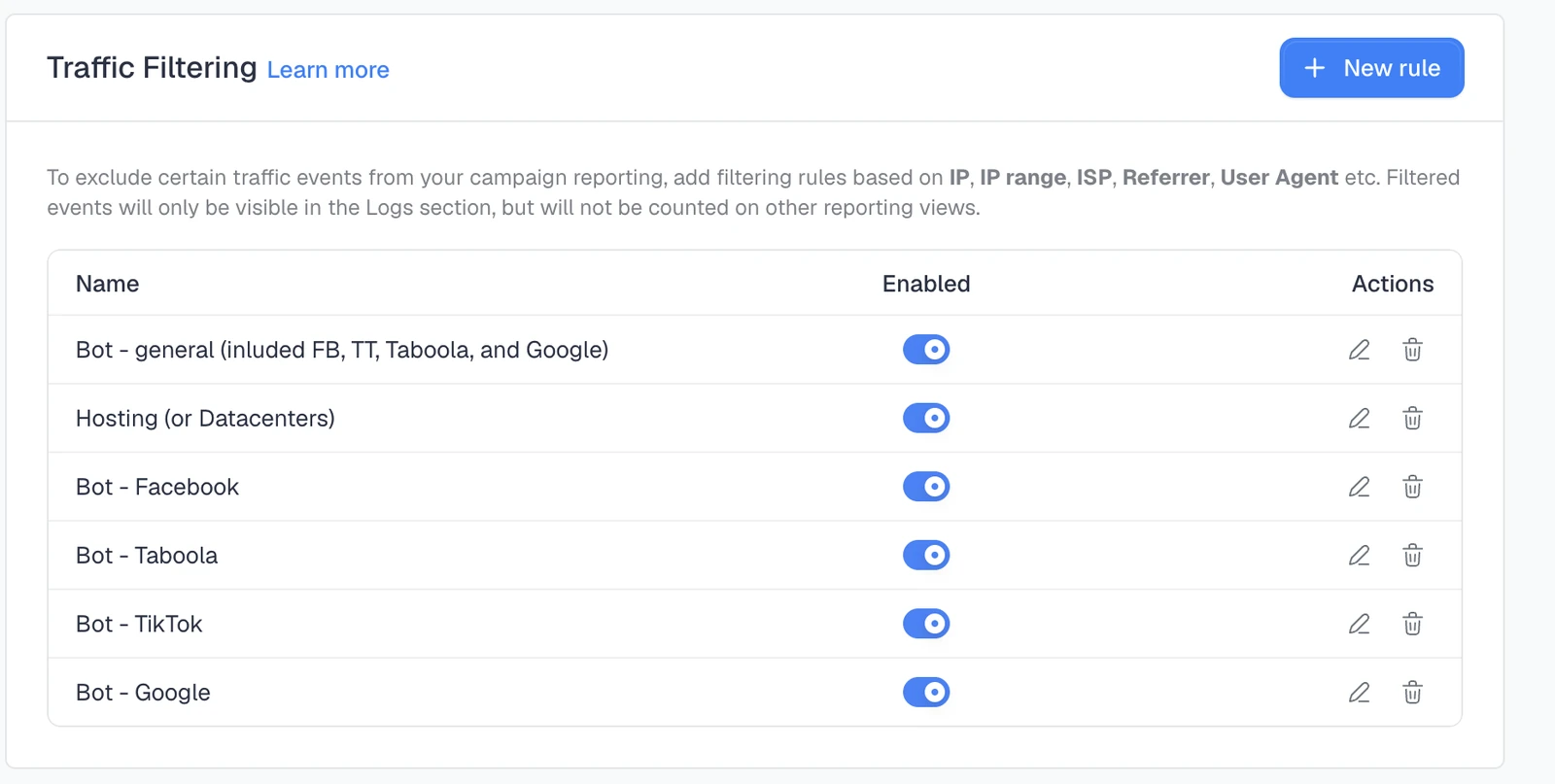
Every major ad platform sends automated crawlers to scan your landing pages when you launch or review a campaign. Left unfiltered, those visits inflate your click counts and drag down your conversion rates, making clean traffic look worse than it is.
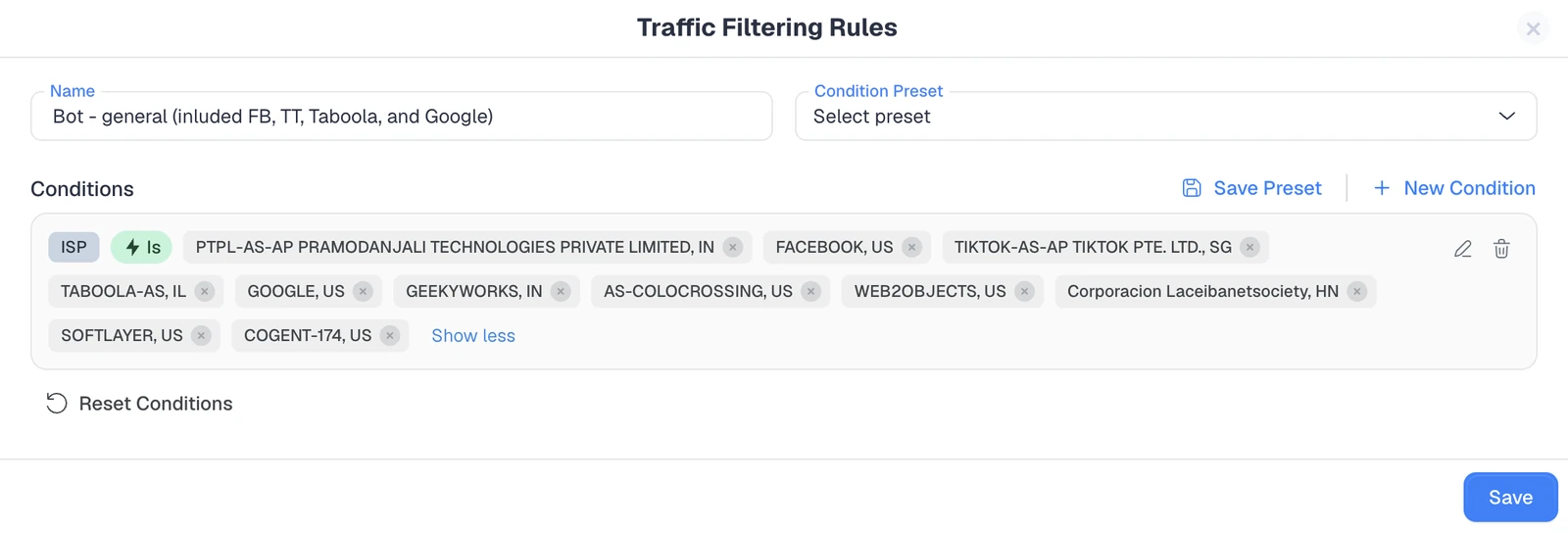
The general rule is the fastest way to get protected. It bundles the crawlers from Facebook, TikTok, Taboola, and Google, plus several colocation and hosting ISPs, into a single toggle.
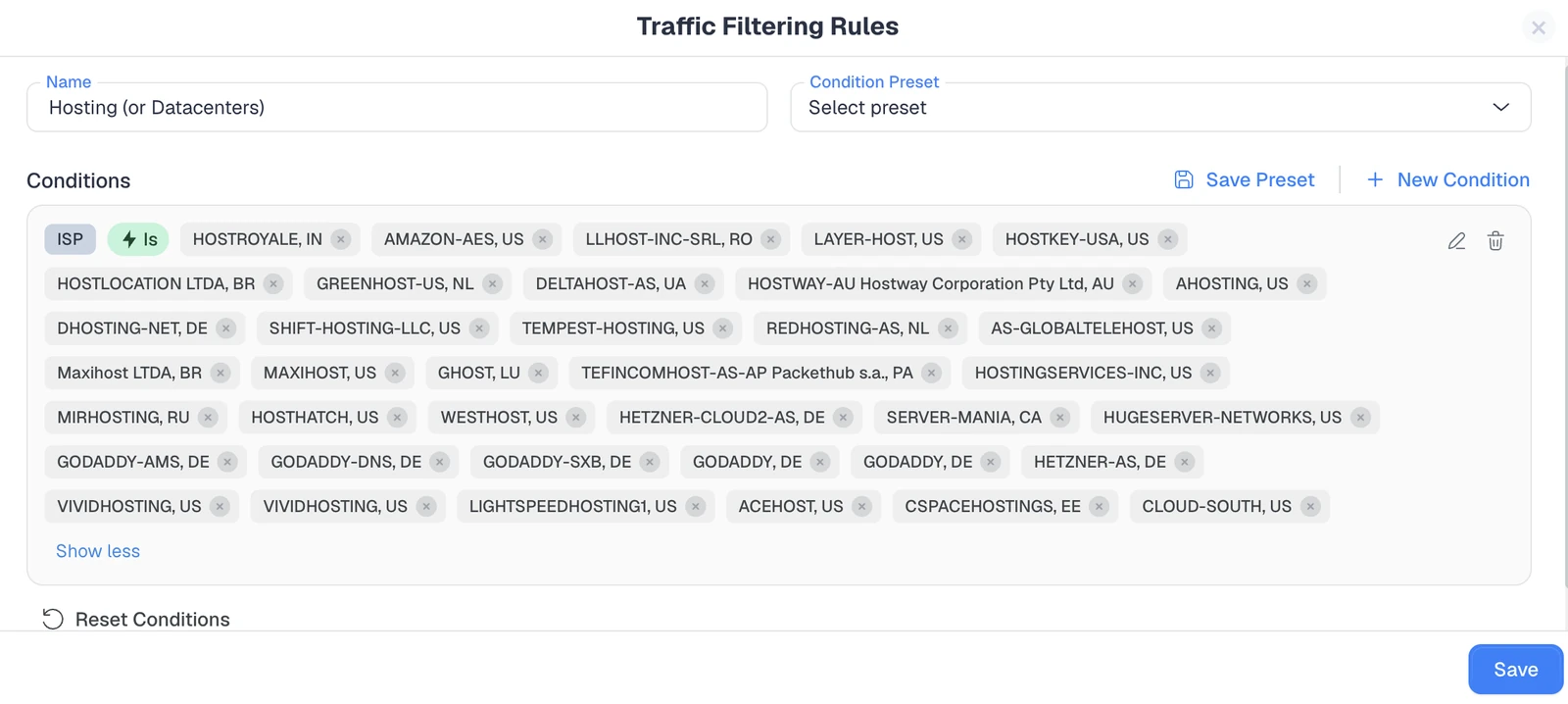
This rule excludes traffic coming from data-center and hosting-provider ISPs, such as Amazon, Hetzner, and GoDaddy, among dozens of others. Real customers almost never browse from a server IP, so data-center traffic is one of the strongest bot signals there is.
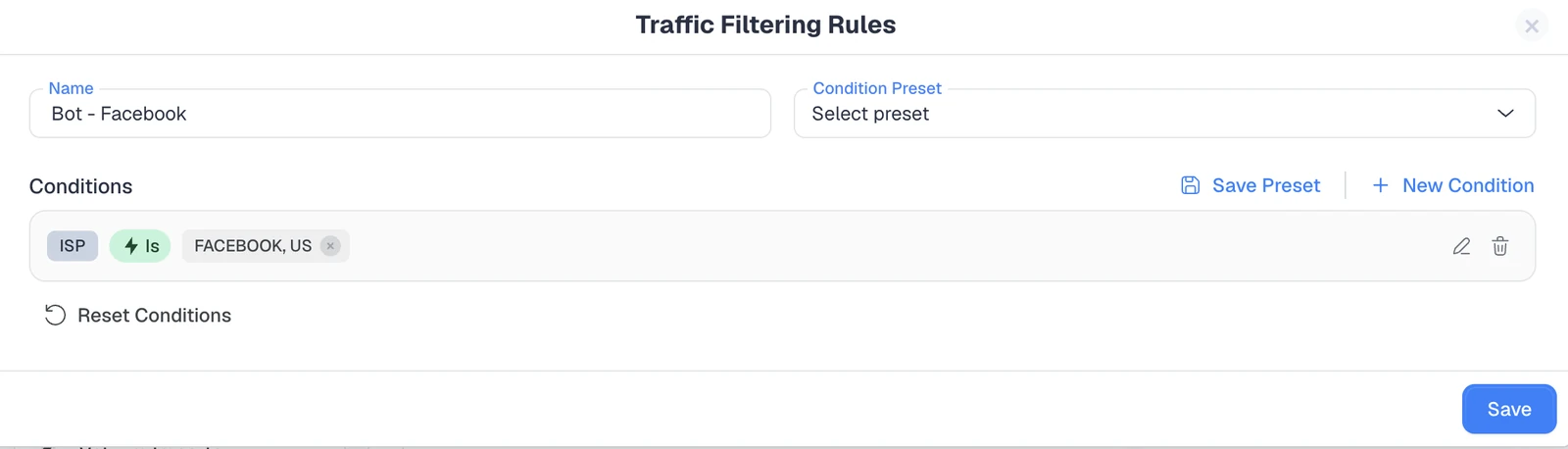
When you run Meta ads, Facebook crawls your landing pages to review them, and those automated visits can quietly inflate your numbers. This rule filters traffic from Facebook's own ISP so it never reaches your reporting.
Native campaigns on Taboola attract the same kind of automated page checks. This rule removes traffic from Taboola's ISP, keeping your native campaign data focused on real users.
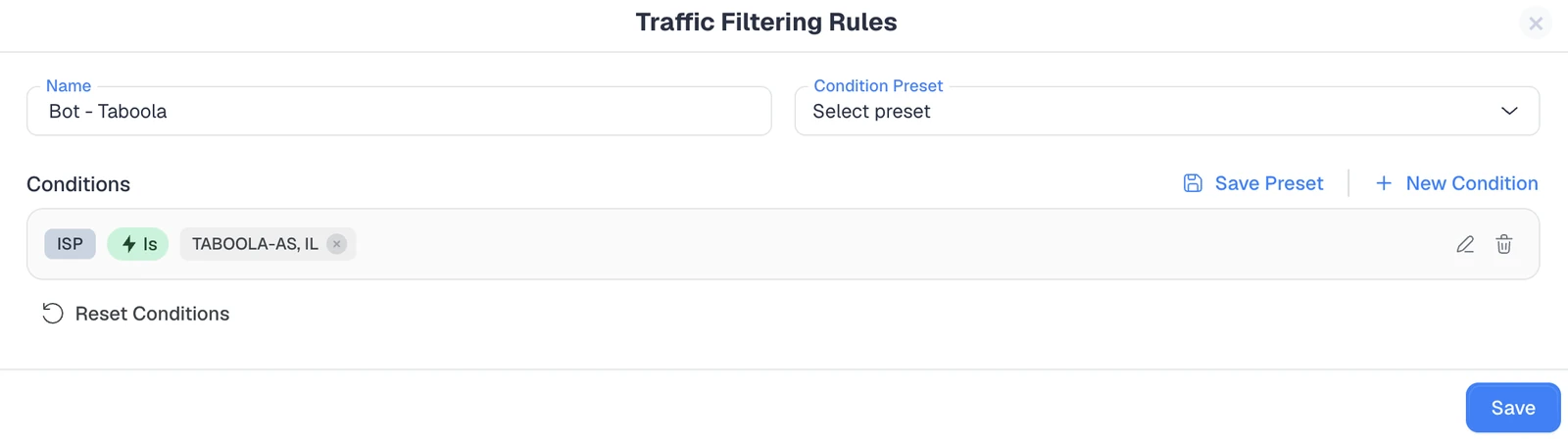
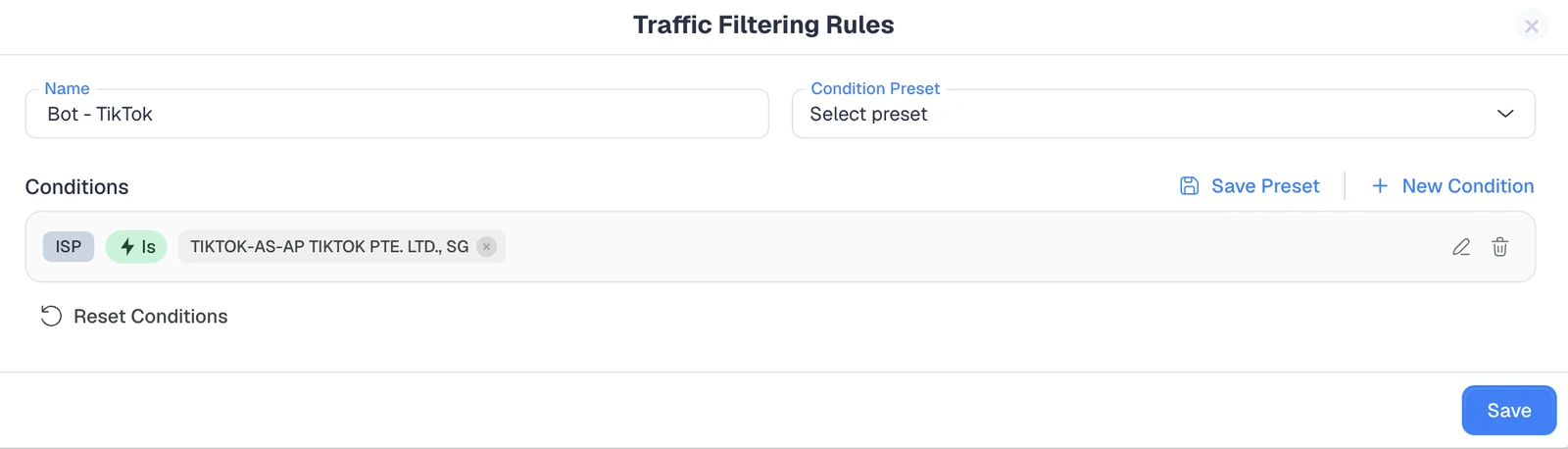
TikTok also sends page-review bots when you launch or edit an ad. Switching on this rule filters those visits out of your click and conversion counts.
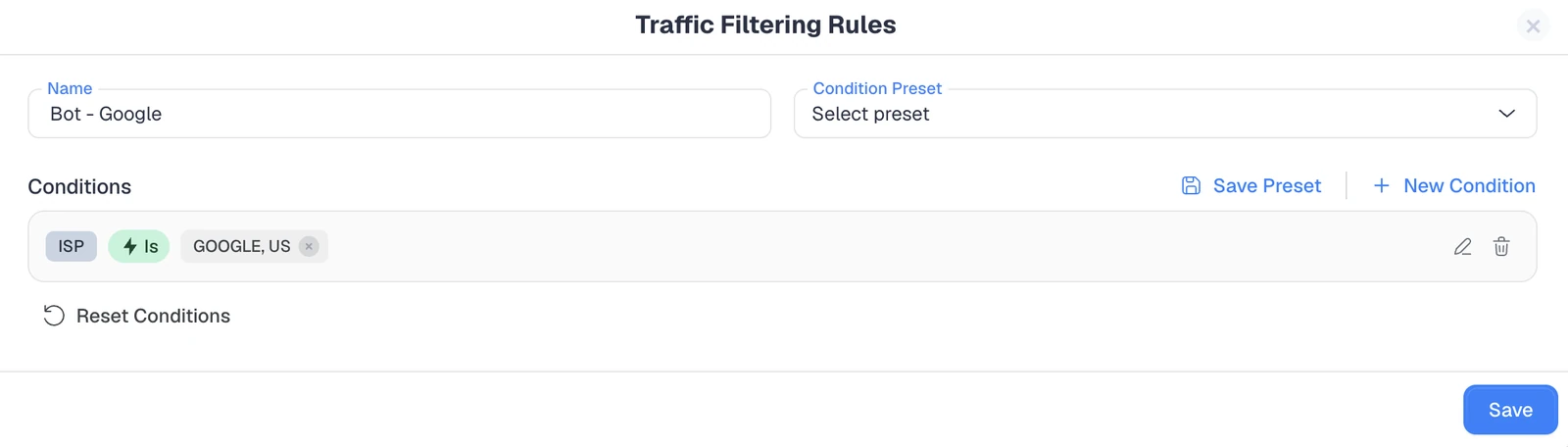
Google runs ad-review and crawler traffic across the pages you promote. This rule strips that automated activity from your reporting so your Google campaign stats stay clean.
Keeping the general rule switched on covers all four platforms at once, while the individual rules let you fine-tune per source. If you are not running on a given platform, you can simply leave its rule off.
Beyond the built-in presets, it is worth adding a few rules of your own based on what shows up in your logs. Good starting points include:
You can also save any rule as a condition preset, so a setup that works on one campaign is a single click away on the next.
One thing to keep in mind: these rules filter unwanted traffic out of your reporting rather than blocking it before the click happens. That keeps your data and your optimization signals clean, which is exactly where most wasted spend hides.
For real-time, pre-click blocking at scale, it is still worth layering a dedicated anti-fraud tool on top, and ClickFlare's clean data makes that layer more effective. If you are still comparing platforms, our roundup of the best affiliate tracking software covers how the main options handle data quality and filtering.
There is no single tool that solves everything, so most programs layer a few. When weighing your options, match the tooling to the size and risk of your program:
Whatever combination you choose, wasted spend is the real cost of getting this wrong. Tying every dollar back to genuine results is the whole point, and our complete guide to ad spend tracking shows how to keep that view accurate.
Affiliate fraud is not going away, but it is far from unbeatable. Effective affiliate fraud detection comes down to the same fundamentals every time: collect clean and complete data, know what normal looks like for each source, and act quickly on the signals that do not add up.
Start with a reliable tracker that gives you full visibility and the ability to filter out bad traffic, then add dedicated anti-fraud tools as your program scales. Do that consistently, and you will spend your budget on real customers instead of fraudsters.
Affiliate fraud detection is the process of identifying fake or manipulated clicks, leads, and sales in an affiliate program. It works by monitoring traffic quality and conversion patterns to flag activity that does not reflect genuine value, so advertisers avoid paying commissions on fraudulent conversions.
Watch for red flags in your data: sudden traffic spikes, high clicks with almost no conversions, conversions that fire within seconds, duplicate leads, and traffic from data centers or untargeted regions. Clean, server-side tracking with detailed logs makes these patterns much easier to catch.
The most common types are cookie stuffing, bot and click fraud, fake leads and signups, click injection on mobile, attribution hijacking, and chargeback fraud. Each one targets a different payout model, but all share the same goal of earning commissions without delivering real customers.
Yes. An ad tracker gives you granular first-party data on every click and conversion, which is the foundation of fraud detection. Tools like ClickFlare also let you build filtering rules to exclude suspicious traffic from your reports, keeping your data clean and your decisions accurate.
Yes. ClickFlare offers ready-made rules you can toggle on to exclude bot and crawler traffic, including presets for Facebook, TikTok, Taboola, and Google, plus a data-center rule and a combined general rule. You can also build custom rules on IP, ISP, referrer, and user agent.
No system catches everything, since fraud tactics constantly evolve. The realistic goal is to significantly reduce your exposure by combining accurate tracking, clear program terms, and layered tools, so you catch most fraud early and limit the damage of anything that slips through.
Need a hand catching bad traffic?
Try out ClickFlare for free and book a call with one of our tracking specialists who will help you set up clean tracking and filtering rules from day one.





