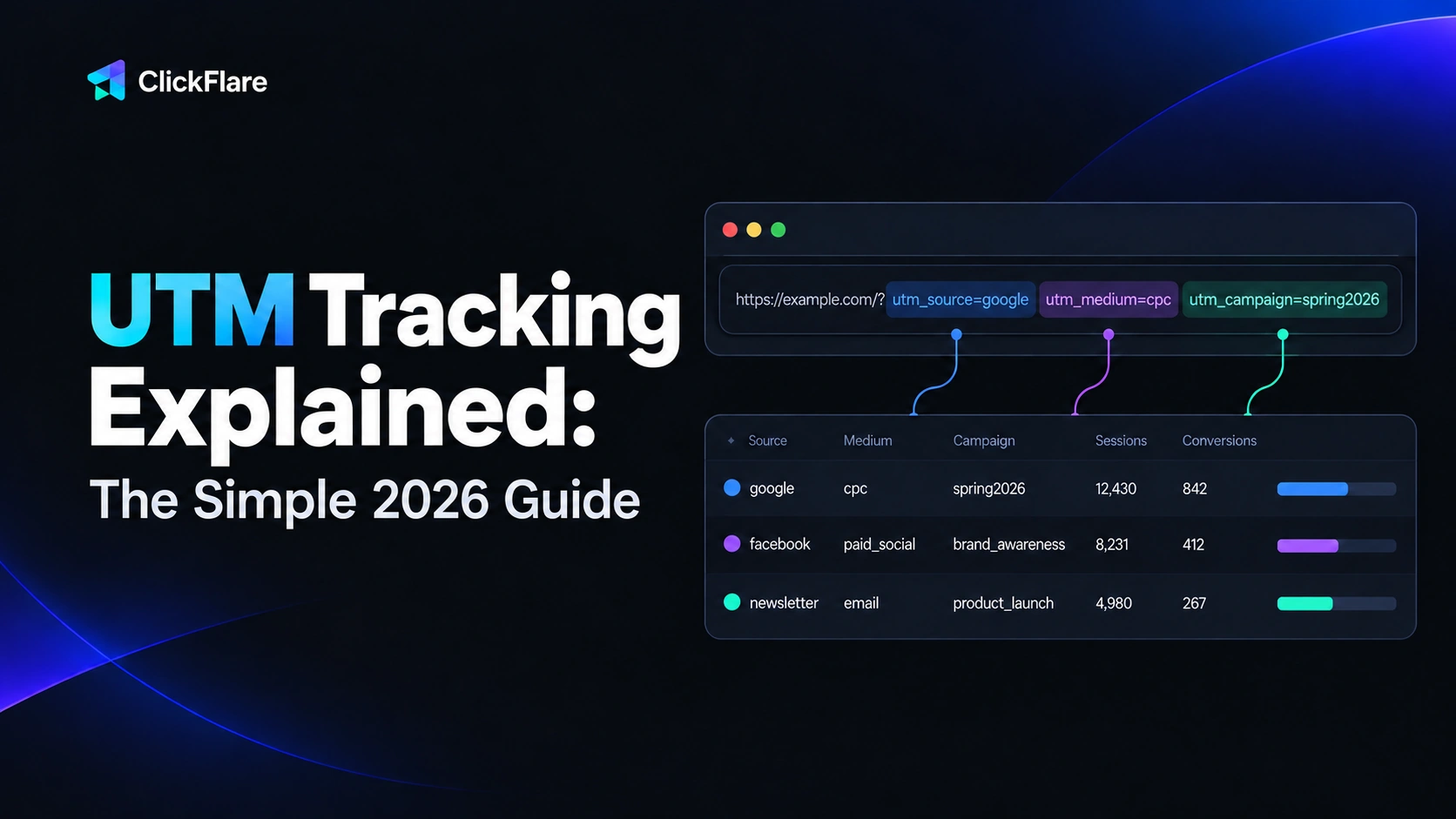
If you have ever shared the same link on Facebook, in a newsletter, and inside a paid ad, you have probably wondered which one actually brought people to your site. That is exactly what UTM tracking answers. UTM tracking means adding a few short tags to the end of a URL so your analytics tool can tell you precisely where each visitor came from, down to the campaign, the channel, and even the individual ad. Without it, most of your traffic gets grouped into vague buckets like "social" or "direct," and you are left guessing. In this guide, we will break down what UTM tracking is, the five parameters that make it work, how to build and read UTM links, and where this method starts to fall short.
Quick Summary
- UTM tracking adds short tags (UTM parameters) to a URL so you can see exactly where your traffic comes from.
- UTM stands for Urchin Tracking Module, the analytics software Google acquired to build Google Analytics.
- The five standard parameters are source, medium, campaign, term, and content.
- Analytics tools like GA4 read these tags the moment someone clicks a tagged link.
- UTMs tell you the source of a click, but not, on their own, what happened after it. That is where dedicated attribution comes in.
What Is UTM Tracking?
UTM tracking is the practice of adding UTM parameters, short snippets of text, to the end of a URL so you can identify exactly where your website traffic comes from. Each time someone clicks a link tagged with these parameters, the tags are passed to your analytics platform, which records the source, channel, and campaign behind that visit.
In everyday use, "UTM tracking" can mean two related things. It can refer to a single tagged link, like one email button or one ad URL. Or it can refer to the broader practice of tagging every campaign link consistently so all your traffic sources show up cleanly in one report instead of being lumped together.
What Does UTM Stand For?
UTM stands for Urchin Tracking Module. The name comes from Urchin Software, a web analytics company Google acquired in 2005 and used as the foundation for Google Analytics. The tracking parameters stuck around, which is why nearly every analytics tool today still reads tags that begin with "utm_."
How Does UTM Tracking Work?
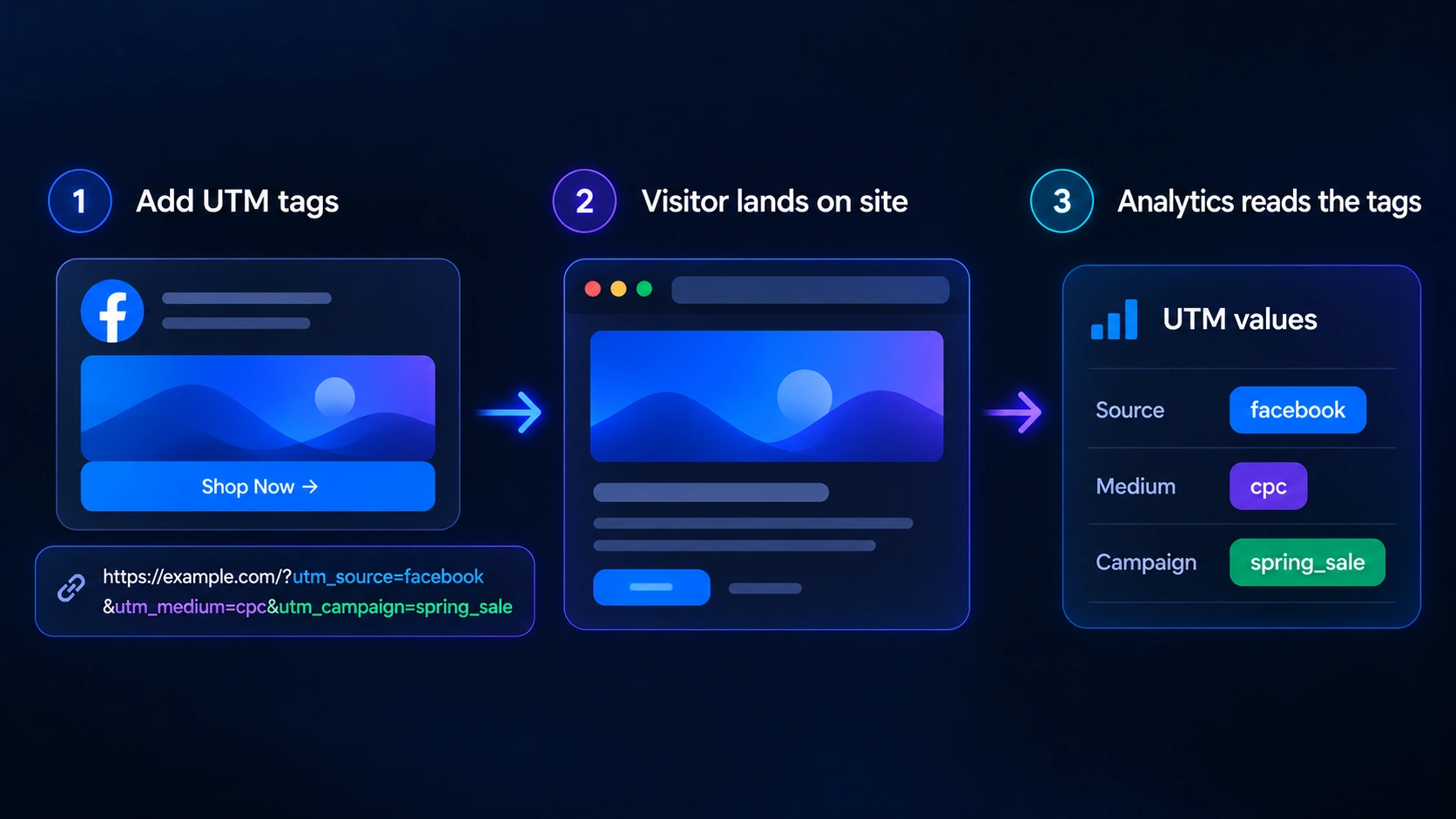
At a basic level, UTM tracking works by attaching extra information to a link that would otherwise be invisible to your analytics. The tags sit at the end of the URL, after a question mark, and each one is separated by an ampersand.
Here is what a tagged link looks like:
https://clickflare.com/?utm_source=facebook&utm_medium=cpc&utm_campaign=spring_sale
When someone clicks that link, the browser carries those values to the destination page, and your analytics tool reads them. Instead of simply logging a visit from "Facebook," the tool now knows the visit came from a paid Facebook ad that was part of your spring sale campaign. Multiply that across every channel you run, and you get a clear map of which efforts actually send people to your site.
UTM parameters are a type of tracking URL, which is one of several methods marketers use to follow a click. If you want the wider picture of how these methods fit together, our guide on what ad trackers are and why they matter covers the full set.
The 5 UTM Parameters Explained
There are five standard UTM parameters. Three of them (source, medium, and campaign) are considered essential, and the other two (term and content) are optional but useful for more detailed tracking.
| Parameter |
What It Tells You |
Example |
| utm_source |
The specific platform or site the traffic came from |
utm_source=facebook |
| utm_medium |
The broader marketing channel or link type |
utm_medium=cpc |
| utm_campaign |
The promotion or campaign the link belongs to |
utm_campaign=spring_sale |
| utm_term |
The paid keyword tied to the click (mostly for search ads) |
utm_term=ad_tracking |
| utm_content |
Which specific ad, link, or creative was clicked |
utm_content=blue_button |
Source is the where: the exact platform sending the click, such as facebook, google, or newsletter. Medium is broader, describing the channel type, like cpc, email, or social. Campaign groups everything under one promotion, such as spring_sale or black_friday. Term records the paid keyword behind a search ad, and content separates variations so you can tell which creative or button actually got the click.
Google Analytics 4 also recognizes an additional tag, utm_id, used to assign a unique campaign ID. It is required if you import campaign cost data into GA4, but for most everyday link tagging the original five parameters are all you need.
How to Create UTM Tracking Links
You have two ways to build a UTM tracking link. You can add the parameters by hand, or you can use a builder tool that formats everything for you.
Building by hand is simple once you know the pattern. Start with your destination URL, add a question mark, then add each parameter as a key and value joined by an equals sign, separating multiple parameters with ampersands. The order does not matter, but a single typo or a missing question mark will break the tracking.
For most people, a builder is faster and safer. Google's free Campaign URL Builder lets you fill in each field and copies a ready-to-use link, which removes the risk of formatting errors. Many ad platforms and link management tools also generate UTM links automatically, so you rarely have to type them out one by one.
How to See UTM Tracking Data in Google Analytics
Once your tagged links are live and people start clicking them, the data flows into your analytics tool with no extra setup. In Google Analytics 4, you will find it in the Traffic acquisition report, where visits are grouped by source and medium.
From there you can break the data down by campaign to compare how each promotion performed, or drill into content to see which specific ad or creative pulled its weight. The cleaner and more consistent your tags are, the more useful these reports become. Sloppy tagging, on the other hand, scatters the same campaign across several slightly different labels and makes the numbers hard to trust.
The Benefits of UTM Tracking
- Granular attribution. You see exactly which campaign, channel, and even individual ad drove a visit, instead of a vague "social" or "referral" label.
- Easy channel comparison. With consistent tags, comparing email against paid search against organic social becomes a side-by-side report rather than a guessing game.
- Clear campaign ROI. When you connect UTM data to goals or revenue in your analytics, you can see which initiatives are worth the spend.
- Simple A/B testing. Using the content parameter, you can run two versions of an ad or email and tell which one performed better.
- Free and universal. UTMs cost nothing, work on any link you control, and are read by virtually every analytics platform.
UTM Tracking Best Practices
UTM tracking is only as reliable as the discipline behind it. A few habits keep your data clean:
- Always use lowercase. UTM values are case-sensitive, so "Facebook" and "facebook" are counted as two different sources. Pick lowercase and stick with it.
- Set naming conventions. Agree on fixed values for each parameter (for example, always "email" rather than sometimes "newsletter") and document them in a shared spreadsheet.
- Only tag what you need. Source, medium, and campaign cover most needs. Add term and content only when the extra detail is useful.
- Never tag internal links. Adding UTMs to links between your own pages restarts the session attribution and makes your reports misleading.
- Keep links tidy. Tagged URLs get long and messy, so a URL shortener is worth using for anything shared publicly.
The Limits of UTM Tracking
UTM tracking is useful, but it is not a complete measurement system. It helps to know where it stops.
- It depends on the URL staying intact. If a user strips the parameters, or a platform rewrites the link, the tracking data is lost.
- It relies on consistent tagging. One team member using different labels can fragment a campaign across several entries in your reports.
- It records the source of a click, not the outcome. A UTM tells you a visit came from a particular ad. On its own, it does not connect that visit to the sale, signup, or revenue that may follow later.
- It depends on analytics cookies and consent. Under privacy rules like the GDPR, non-essential analytics cookies need consent, so some tagged visits are never recorded.
- Its numbers rarely match your ad platforms. Your GA campaign counts will usually differ from what Meta or your affiliate network report, for reasons we cover in our breakdown of why conversions don't match across platforms.
UTM Tracking vs. Full Attribution: Where a Tracker Fits
UTM tracking is excellent at one job: labeling the source of a click inside your analytics. For a lot of marketing, that is enough. But if you run paid traffic across several ad networks or affiliate programs, you usually need more than a label. You need to connect each click to the actual conversion and revenue, and you need that connection to survive even when a browser blocks cookies or a user clears them.
That is the role of a dedicated ad tracker. Rather than relying on a tag in the URL, a tracker assigns its own click ID and uses server-side methods such as postbacks and Conversion APIs to tie a click to a conversion, independent of what happens in the browser. If you are new to that approach, our guide on what a postback URL is walks through how server-to-server tracking works.
The two methods are not an either-or choice. UTMs organize your channel data in analytics, while a dedicated tracker handles conversion attribution across platforms. ClickFlare is one such platform, built around server-side tracking for performance marketers. If you are weighing your options, our roundup of the best ad tracking software in 2026 compares the main tools on pricing and features.
Final Thoughts on UTM Tracking
UTM tracking is one of the simplest and most effective ways to understand where your traffic comes from. By adding five short parameters to your links, you turn vague channel reports into a clear view of which campaigns, platforms, and ads are actually working. It costs nothing and works almost everywhere, which is why it remains a staple of digital marketing.
Just remember what UTM tracking is and is not. It is a reliable way to label the source of a visit, not a full measurement of what that visit is worth. Pair consistent UTM tracking with proper conversion attribution, and you get both halves of the picture: where people come from, and what they do once they arrive.
Frequently Asked Questions
What Is UTM Tracking in Simple Terms?
UTM tracking is adding short tags to the end of a link so your analytics tool can see exactly where a visitor came from. When someone clicks the tagged link, those tags tell you the source, channel, and campaign behind the visit.
What Does UTM Stand For?
UTM stands for Urchin Tracking Module. The name comes from Urchin Software, a web analytics company Google acquired in 2005 and used to build Google Analytics. The "utm_" prefix on each parameter is a leftover from that original tool.
What Are the 5 UTM Parameters?
The five standard UTM parameters are source, medium, campaign, term, and content. Source, medium, and campaign are the essential three, while term and content are optional and used for more detailed tracking of keywords and specific creatives.
Is UTM Tracking Free?
Yes. UTM parameters cost nothing to add, and free tools like Google's Campaign URL Builder generate the links for you. The data is read by analytics platforms such as Google Analytics, which are also free to use for most businesses.
Do UTM Parameters Affect SEO?
Used on external campaign links, UTM parameters are fine for SEO. The issue arises when you add them to internal links, which can create duplicate crawlable URLs and fragment your data. Avoid internal UTMs and rely on canonical tags to stay safe.
What's the Difference Between UTM Tracking and Conversion Tracking?
UTM tracking labels the source of a visit inside your analytics. Conversion tracking ties an action, like a sale or signup, back to that visit, which usually requires a pixel, a tag, or a server-side postback rather than just a tagged URL.
Need a hand with tracking and attribution?
Try out ClickFlare for free and book a call with one of our tracking specialists who will guide you through the entire process.
TRY CLICKFLARE FREE FOR 14 DAYS →