




ClickMagick is a US based tracking software that helps businesses track and optimize their campaigns in one place.
In this article, we’ll look at the different ClickMagick pricing plans in 2025, reviewing their features and costs to help you find the best solution for your tracking needs.
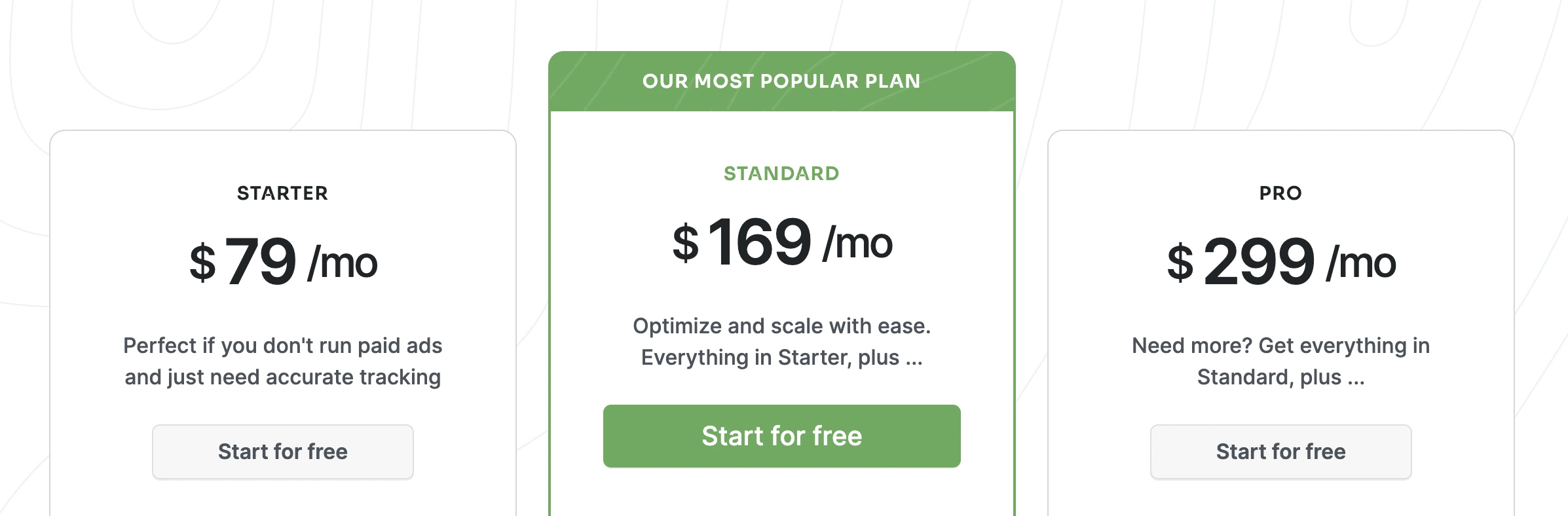
ClickMagick offers three different pricing plans.
The Starter Plan costs $79/month, the Standard Plan costs $169/month and the Pro Plan costs $299/month.
All three plans allow you to track free, paid and organic traffic; get access to real-time stats & reports; track the entire sales funnel & customer journeys; and apply bot filtering.
What are the main differences between the three plans, and which one should you choose?
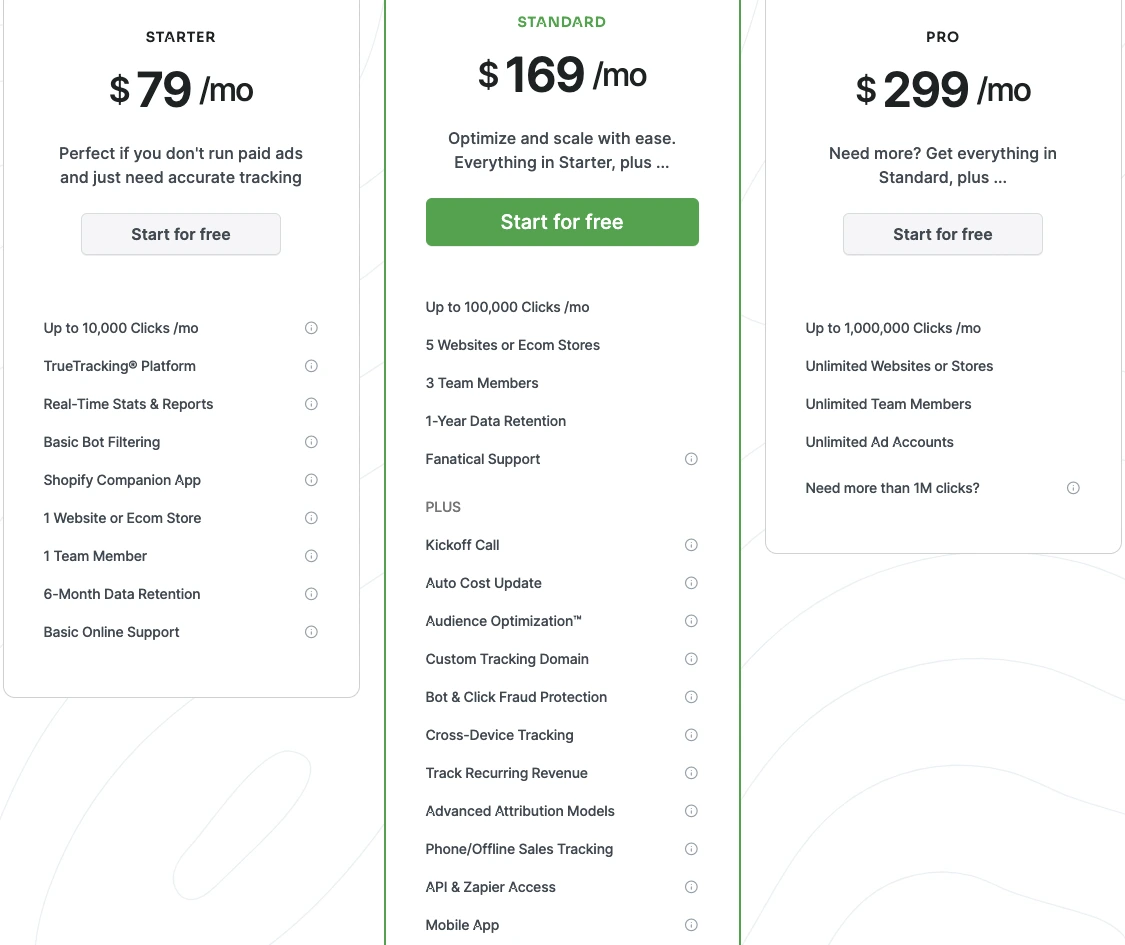
As mentioned above, ClickMagick’s Starter Plan costs $79/month, and it may suit smaller businesses or those not yet investing in paid traffic.
The Starter Plan only covers up to 10,000 clicks per month. It includes all the features we mentioned earlier, such as the ability to track all types of traffic and sales funnels.
It also supports tracking with no redirects and tracks unlimited opt-ins, goals and sales.
In terms of reporting capabilities, you can see real-time stats, such as your opt-in and conversion rates, revenue, ad spend, profit, ROAS and more.
With the Starter Plan, you can apply basic bot filtering, which automatically filters out about 90% of bot traffic from your reporting.
ClickMagick also offers the Shopify Companion App, which makes it easy to connect your Shopify store and track events such as “Add to cart” and “Checkout”.
There are a few limitations that come with the Starter Plan.
For example, you can only have one user and only connect one website or ecommerce store.
You do not get access to Conversion API or Audience Optimization features that enable you to post accurate data back to your ad platforms. You have 6-month data retention, and you only get basic online support. This means that you will be responsible for the technical setup by using ClickMagick’s Knowledge Base and online tutorials.
You do not get access to the Live Chat or get any one-on-one help.
If you are looking to scale beyond just organic traffic, the Standard Plan offers several upgrades.
Instead of 10,000 clicks, now you can track up to 100,000 clicks per month. You can also connect five websites or ecommerce stores, and have three team members.
The plan includes additional support features such as a kick-off call and Live Chat.
Apart from simple bot filtering, you get click fraud protection as well. You also get several brand new integrations with the Standard Plan.
An important one is hourlyauto cost syncing with your ad platforms, such as Google, Facebook, TikTok and more. However, you can only integrate two accounts for each ad network. The Standard Plan also comes with an Audience Optimization feature which essentially is an attribution solution that sends accurate conversion data to ad platforms.
Similar to the auto cost update, you can only do this for two accounts from each ad platform.
With this plan, you also get bonus features:
The Pro Plan includes all the features of the Standard Plan, plus more tracked events, more integrations, and more team members:
Deciding on the right pricing plan heavily depends on your personal goals and needs.
For example, if you are only tracking unpaid traffic and receiving low volumes, the Starter Plan would be perfect for you.
If you have a larger team with more than three media buyers, are receiving higher traffic volumes, or you have multiple websites, stores, or ad accounts, you need the Pro Plan.
If you’re somewhere in the middle, the Standard Plan might work better for you.
The Standard Plan may appeal to users needing more features without jumping to the Pro level.
As part of their TrueTracking Platform, ClickMagick offers tools to track all paid and organic traffic, gather first-party data, perform direct and redirect tracking, and track your entire sales funnel.
With the higher plans, you also get access to a few extra tracking features, such as cross-device tracking (if a visitor switches devices), revenue tracking (through platforms like Stripe) and offline sales tracking. Apart from tracking, you can also perform attribution with the Standard and Pro plans. This means that ClickMagick will automatically send first-party data to ad platforms for better optimization (only two accounts per platform on Standard, and unlimited on Pro).
However, keep in mind that each pricing plan comes with a limit on how many clicks you can track each month.
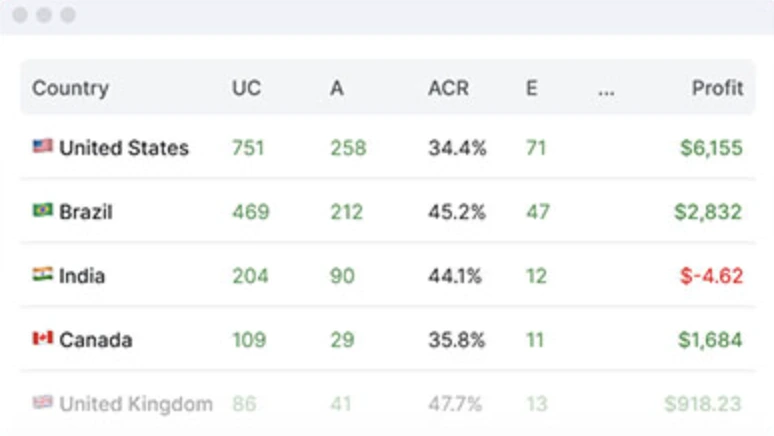
ClickMagick provides clients with real-time reporting.
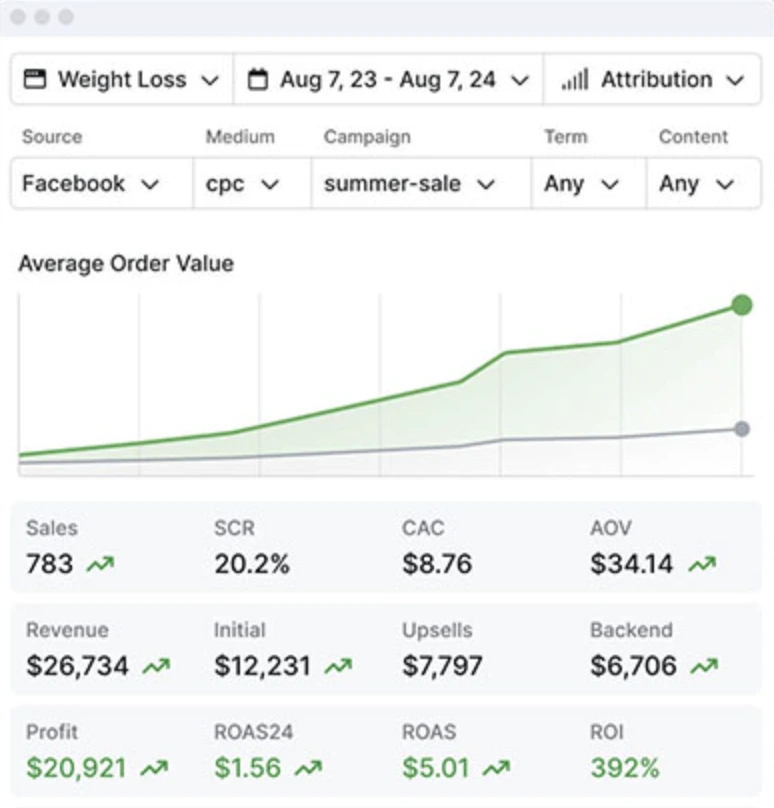
They also offer different types of reports:
ClickMagick offers various integrations for marketers:
You can also connect to various affiliate networks, not through a direct integration, but through server-to-server tracking.
If you want to integrate a platform via API, but it is not part of ClickMagick’s direct integrations, you can utilize the Public API. This is only available starting from the Standard Plan.
When you’re working in a team, it becomes crucial to be able to invite other users so you can all work under the same account.
This is how many team members you can invite for each plan:
Once you invite a member, you can give them admin access, read/write access, or report-only access.
As important as tracking is, it can unfortunately also be tricky and technical. This is why getting proper support from your tracking team is crucial to ensure you’re getting accurate data.
With ClickMagick, you will get two different types of support:
While there are no direct hidden fees with ClickMagick, you automatically get upgraded to the next pricing plan if you exceed your plan’s limit by more than 10%.
For example, if you are in the Starter Plan and get 11,000 clicks per month (instead of the 10,000 limit), you will be automatically upgraded to the Standard Plan, which costs an extra $90/month.
ClickMagick offers several important features, especially on their Standard and Pro plan, such as tracking and attribution, real-time reporting, integrations with ad platforms, and optimization tools.
However, whether ClickMagick is worth the money depends on your needs. One of the key limitations you need to consider is the amount of monthly clicks allowed on each plan.
If you don’t run any paid ads or if you receive lower traffic volumes, ClickMagick will probably cover your basic needs with the Starter and Standard plans. However, if you have more than one million clicks, you will need to create multiple Pro Plan accounts, which at $299/month per account can quickly become expensive.
Let’s take a look at the different features you get with ClickMagick versus ClickFlare.
When deciding between ClickFlare and ClickMagick, it’s important to consider your own tracking requirements, budget and additional features.
ClickFlare has higher traffic caps per plan, advanced attribution capabilities, and more integrations across all pricing plans, so it’s worth looking into if you run paid ads.
The Tag Manager and personalized support included in all plans caters to those looking for an easy tracking setup. If you have minimal tracking needs but still need accurate data and real-time stats, ClickMagick is still an option.
For more tracking comparisons, read this ClickFlare vs RedTrack article.
The cheapest ClickMagick plan is the Starter Plan, which costs $79/month. This is a good starting point if you don’t have any paid ads.
Yes, ClickMagick offers a 14-day free trial.
ClickMagick does not directly offer a discount, but you can choose an annual plan and save anywhere from 20-30%. However, they do not display their annual plan on the website. You need to first sign up and add your credit card details before you can purchase the annual plan.
If you reach your ClickMagick plan’s limit, you will be automatically upgraded to the next plan. For example, if you’re in the Standard Plan and exceed the click limit by more than 10%, you will be moved to the Pro Plan.
You can cancel your ClickMagick subscription at any point. You simply need to go to Account, Billing Page, and click on “Cancel My Account”. You can also pause your account.
A good alternative to ClickMagick is ClickFlare, particularly for companies that need higher traffic limits, better attribution, and additional integrations at an affordable rate.
ClickMagick offers a range of tracking features that can support different business sizes.
With three available pricing plans—Starter, Standard, and Pro—it’s suitable for businesses of varying sizes, but its limited monthly clicks and limited integrations can be a drawback for growing businesses.
ClickMagick’s Standard or Pro plans provide key features like conversion tracking & attribution, bot filtering, and cost & revenue integrations.
But, if you’re looking to track more events, have more integrations or get excellent support despite your pricing plan, ClickFlare could be a good alternative.
Before committing to any tracking tools, you can always try the free trial for both platforms and decide which one works best for you.






