




If you have been running paid traffic for a while, you already know how saturated the same few ad networks are. That is exactly why more media buyers are testing Rumble Ads, the self-serve platform behind one of the fastest-growing video sites on the internet. The appeal is simple: an engaged, hard-to-reach audience, lower competition, and lower CPMs.
Like every ad network, Rumble’s built-in dashboard can only show you what happens inside Rumble, not the full path to revenue. To get a complete campaign view, and to track conversions reliably no matter what browser cookies and pixels do, you need a dedicated tracker. In this guide, we will break down what Rumble Ads is, who advertises on it, and how to track Rumble Ads campaigns end to end with ClickFlare.
Quick Summary
Rumble Ads is the advertising side of Rumble, a video-sharing platform that has grown into an alternative to YouTube. The platform advertisers actually log into is called the Rumble Advertising Center (RAC), a self-serve system where you create campaigns, set budgets, choose targeting, and review analytics, all from a single dashboard.
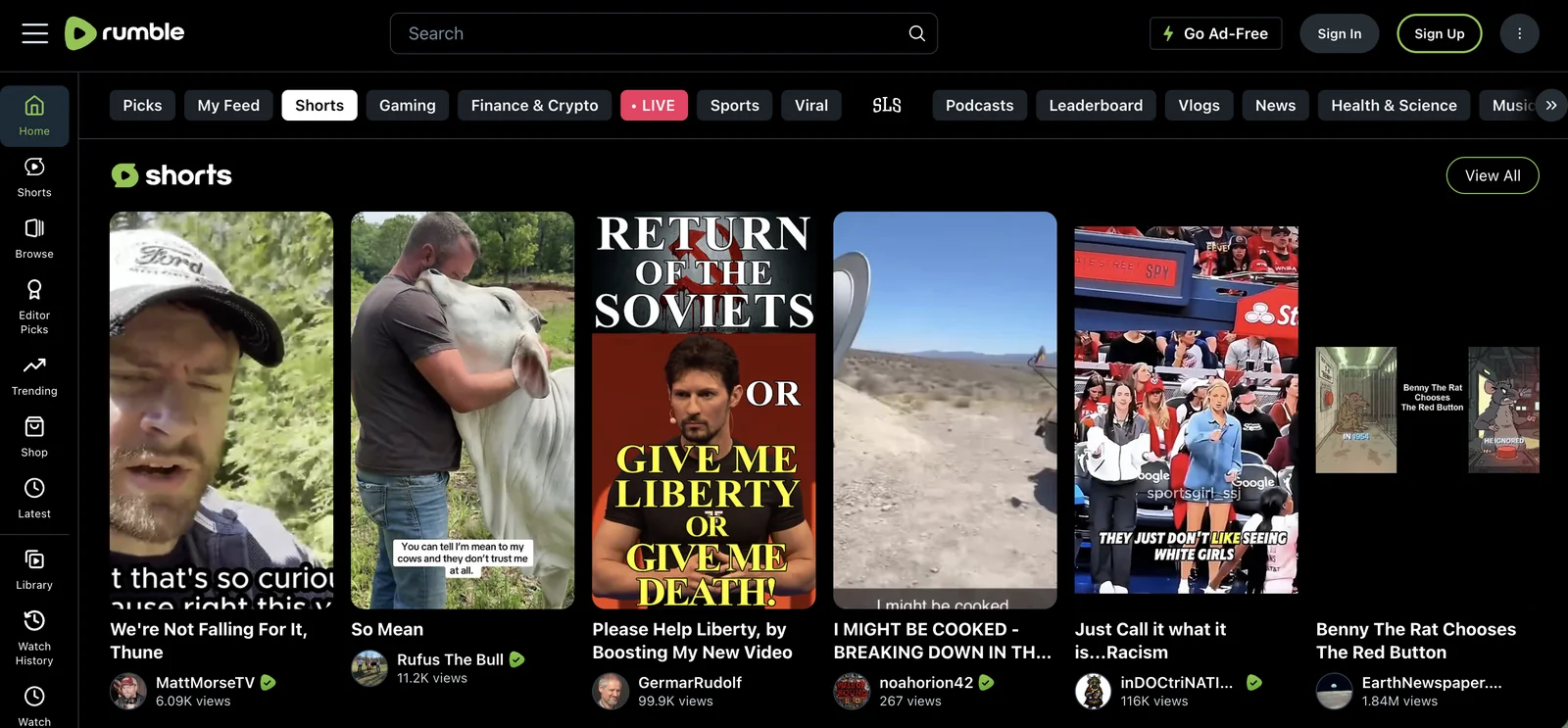
In practice, “Rumble Ads” refers to buying and running ad placements through the RAC. Rather than routing inventory through the usual public ad exchanges, Rumble serves ads through its own marketplace, which gives advertisers direct access to Rumble traffic and a growing network of partner site placements. It is a CPM-based platform, meaning you pay per thousand impressions rather than per click, and it supports both flat-rate and smart bidding so you can control exactly how your budget is spent.
Rumble Ads tends to attract two overlapping groups: performance marketers and affiliates looking for fresh, less saturated traffic, and brands that want direct access to a loyal audience that is difficult to find elsewhere. Because the bigger networks have become crowded and expensive, Rumble has become a testing ground for advertisers who have squeezed all the easy wins out of Meta and Google.
Rumble’s user base skews toward an older, predominantly male, and largely US-based audience that gravitates to independent creators and less-moderated content. What matters for advertisers is not just who they are but how they behave: this is an audience that engages deeply with content it cares about, which often translates into above-average click-through rates and strong opt-in rates on lead-gen funnels.
Because of that audience profile, certain verticals tend to convert particularly well on Rumble Ads. Common winners include health and supplements, finance and insurance, and ecommerce offers, along with more niche angles that fit the platform’s core demographic. The creative that works best usually looks native and personality-driven rather than heavily polished, closer to a creator endorsement than a corporate spot.
So why are advertisers adding Rumble to the mix? A few concrete reasons stand out:
Understanding the available formats and targeting controls helps you decide whether Rumble Ads fits your campaigns before you spend a dollar.
The Rumble Advertising Center supports a mix of formats so you can match the placement to your offer:
Rumble gives you both standard and platform-specific targeting. On the standard side you get countries, regions, ZIP codes, languages, devices, operating systems, and phone carriers. The more distinctive controls include white and black lists for specific placements, keyword targeting that matches words in Rumble video titles, channel targeting to reach the followers of specific creators, and demographic targeting by age range for logged-in users. A frequency cap lets you control how often the same person sees your ad, which protects both your budget and your creative from fatigue.
Rumble’s dashboard does a solid job of showing spend, impressions, and pixel-based conversions. The problem is that it only sees what happens inside Rumble. The moment a user clicks through to your landing page, funnel, or offer, the native tracking loses visibility, and you are left stitching numbers together by hand.
That creates the same headache advertisers run into everywhere: the numbers rarely agree. If you have ever seen one conversion count in Rumble, a different one in your affiliate network, and a third in your spreadsheet, you already know the pain. Our breakdown of why conversions don’t match across platforms explains what usually causes it. A dedicated tracker fixes this by giving you one source of truth, tying every click back to the exact campaign, creative, and placement that drove it, and feeding clean conversion data back to Rumble so the platform can optimize toward results that matter.
ClickFlare connects to Rumble Ads in two directions. First, an API cost integration pulls your Rumble spend into ClickFlare automatically. Second, an S2S postback sends conversion data from ClickFlare back to Rumble. Set up together, they give you accurate cost, revenue, and ROI reporting for every Rumble campaign in a single dashboard. Here is how to configure each part.
The cost integration is an API connection that automatically syncs your Rumble campaign costs into ClickFlare, so you never have to update spend by hand. Before you start, make sure you have an active Rumble ad account, an active ClickFlare account, and your Rumble Auth Key. If you do not have the Auth Key, contact your Rumble account manager or support team to request your API credentials.
Once you have those, set it up like this:
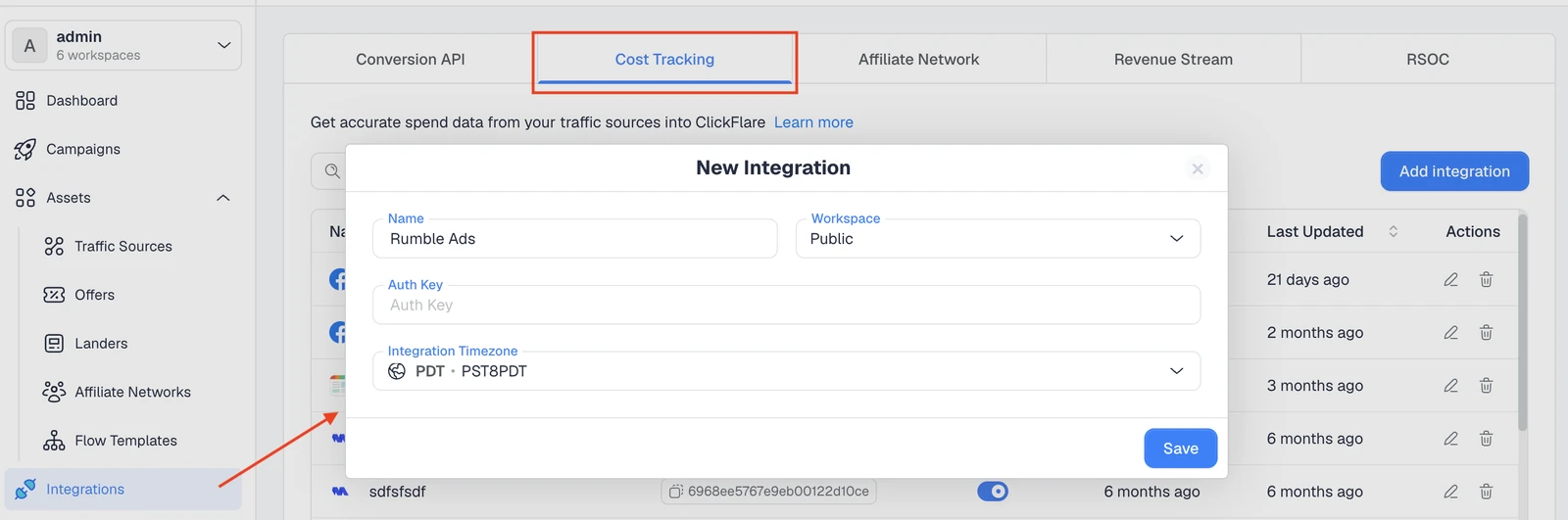
From that point on, ClickFlare pulls cost data from Rumble automatically, refreshing roughly every hour (with more frequent cost updates also available), so your reports always reflect real spend. ClickFlare pulls cost on all campaign levels (including ad-level). One reminder: keep ClickFlare’s tracking parameters in your Rumble campaign URLs so clicks are attributed correctly.
The cost integration handles money flowing in. To close the loop, you also want your conversions flowing back out to Rumble so the platform learns what a good conversion looks like. Since Rumble is a traffic source without a Conversion API integration in ClickFlare, you do this with a server-to-server (S2S) postback. A postback fires conversions server-side, so it is not affected by cookies, ad blockers, or browser restrictions, which makes it far more reliable than pixel-only tracking. If you want the full background, our guide on what a postback URL is covers it step by step.
Here is how the postback works and how to set it up in ClickFlare:
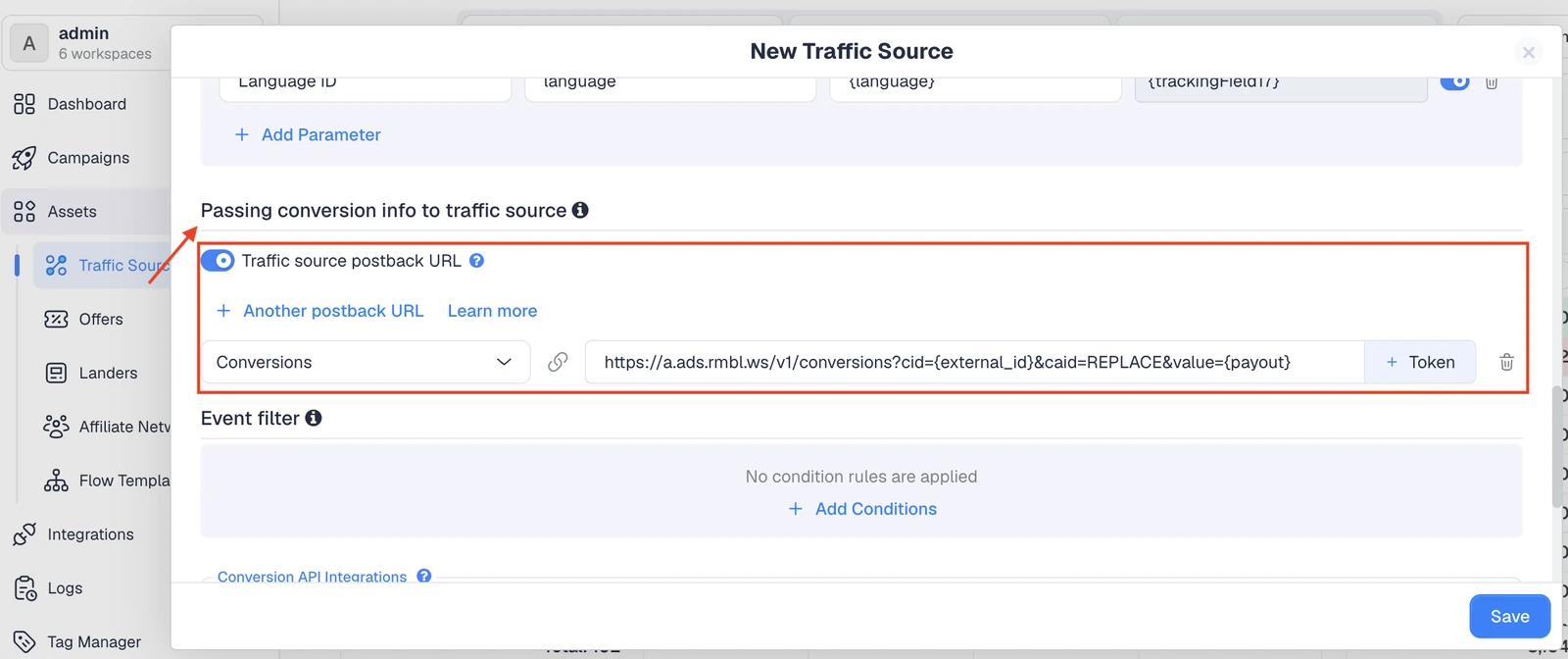
A simplified postback looks like this, with ClickFlare swapping the tokens for real values at fire time:
https://a.ads.rmbl.ws/v1/conversions?cid={external_id}&caid=REPLACE&value={payout}
Once both connections are live, tracking Rumble Ads through ClickFlare gives you a level of clarity the native dashboard cannot:
Here is how native Rumble tracking compares to running your Rumble Ads through ClickFlare:
If you want to see how this compares to other trackers before committing, our roundup of the best ad tracking software in 2026 walks through pricing, integrations, and who each tool is built for.
Rumble Ads is one of the more promising ways to reach a loyal, under-served audience without the sky-high competition of the major networks. But the platform is only as valuable as your ability to measure it, and the native dashboard stops short of the full picture. By connecting the Rumble cost integration and setting up an S2S postback in ClickFlare, you get automatic spend syncing, reliable server-side conversions, and true ROI reporting for every Rumble Ads campaign in one place. That is the difference between running Rumble Ads on hope and running them on data.
Rumble Ads is the self-serve advertising platform (the Rumble Advertising Center) where brands and marketers buy pre-roll video, display, and native placements across Rumble and its partner network. It runs on a CPM model and offers targeting by geo, device, keywords, channels, and demographics.
Yes. ClickFlare connects to Rumble Ads with an API cost integration that pulls your spend automatically and an S2S postback that sends conversions from ClickFlare back to Rumble. Together they give you accurate cost, revenue, and ROI reporting for every Rumble campaign.
Once the Rumble cost integration is connected, ClickFlare pulls cost data from Rumble automatically, refreshing roughly every hour. You do not need to update campaign costs manually, so your ROI figures stay current on their own.
Yes. The cost integration requires your Rumble Auth Key alongside an active Rumble ad account and a ClickFlare account. If you do not already have your API credentials, contact your Rumble account manager or support team to request them.
A server-to-server postback fires conversions server-side, so it keeps working even when cookies are cleared or ad blockers get in the way. Pixels can miss conversions in those cases, which is why postbacks are the more reliable method for accurate tracking.






